
BioRender Alternative
for AI Scientific Figures
Create scientific figures, graphical abstracts, workflow diagrams, and data charts with an AI-assisted workflow built for researchers.
- 001AI-assisted generation
- 002Editable scientific visuals
- 003SVG · PDF · PNG export
Why Look
for a
BioRender
Alternative?
Many researchers start with BioRender because it provides a large library of scientific icons and templates. It is a strong option when you already know exactly which assets you need and want to assemble a figure manually.
But not every scientific figure starts from a template. Sometimes you need to turn a rough idea, a dataset, a paper figure reference, or a workflow description into a polished scientific visual. You may also need figures that go beyond biomedical icons — data charts, computational workflows, graphical abstracts, multi-panel research figures, or publication-ready visual summaries.
FigCanvas is built for this newer workflow: describe what you want, upload or reference your data, generate a figure draft, then refine and export it for papers, posters, grants, reports, or presentations.
If you are looking for a BioRender alternative, FigCanvas gives you a different starting point: instead of building every figure element manually, you can begin with an AI-assisted scientific figure draft and improve it from there.
BioRender vs. FigCanvas:
What’s Different?
BioRender and FigCanvas are designed around different scientific figure workflows. BioRender is known for template and icon-based illustration. FigCanvas focuses on AI-assisted scientific figure generation — especially when you want to start from a prompt, data, example, or visual idea.
↳ note —BioRender is a strong choice for researchers who prefer template-based scientific illustration. FigCanvas is designed for researchers who want a more AI-assisted workflow — especially when the first draft is the hardest part.
When FigCanvas
May Be a Better Fit
You want to generate a figure from a prompt
Describe the figure you need instead of starting from a blank canvas. Useful when you know what to communicate but do not want to spend hours arranging icons.
You need more than biomedical icons
Create graphical abstracts, mechanism diagrams, experimental workflows, computational pipelines, data charts, and publication-style figures across many research fields.
You want data-aware scientific charts
For volcano plots, expression charts, comparison plots, and workflow-linked data visuals, FigCanvas bridges raw research data and publication-ready design.
You care about editable exports
FigCanvas is built around editable outputs and SVG, PDF, and PNG export — figures keep being refined for manuscripts, posters, slides, and grants.
You want a faster first draft
Move from idea to visual draft faster than building every element manually, then spend more time on the message, layout, and accuracy.
What You Can Create
with FigCanvas
FigCanvas supports multiple types of scientific visuals. Each card connects to a more specific tool inside the workflow.
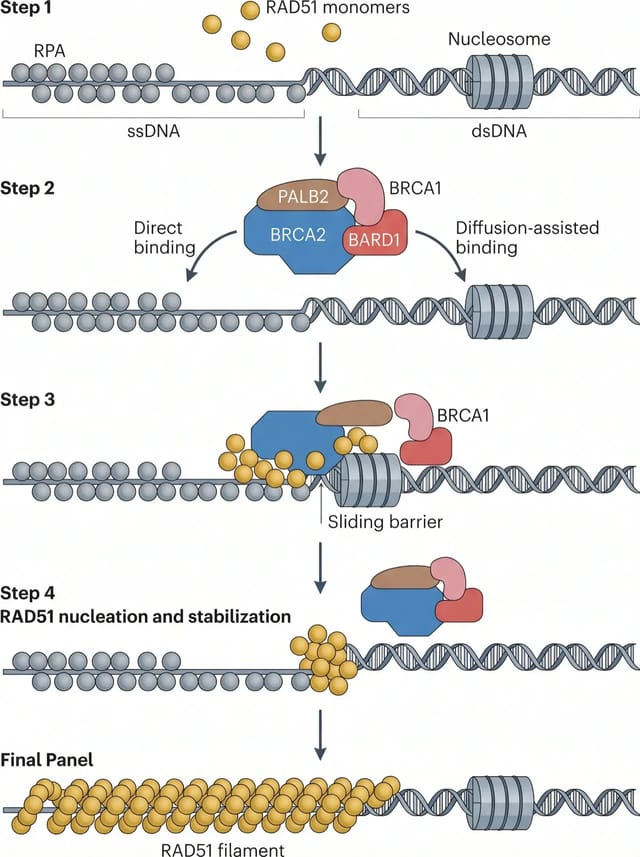
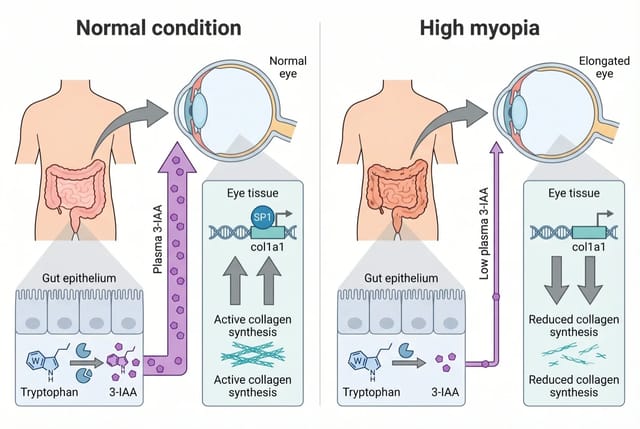
Scientific illustrations
Mechanism diagrams, biological processes, and research illustrations from prompts or examples.
Explore→Graphical abstracts
Turn your research story into a clear visual summary for papers, journals, posters, or grant proposals.
Explore→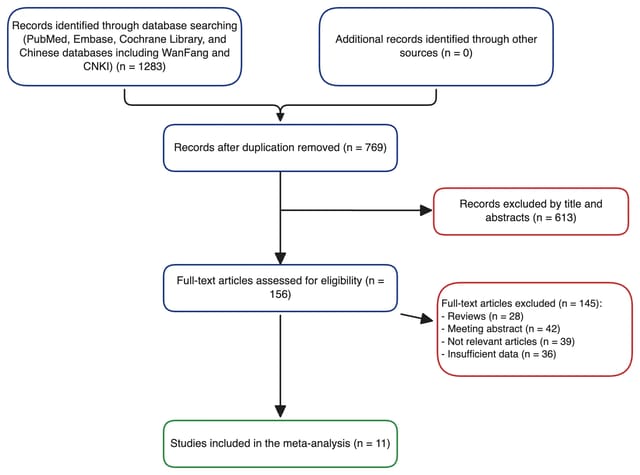
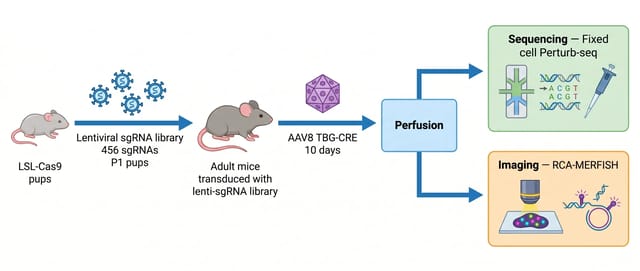
Workflow diagrams
Experimental workflows, computational pipelines, clinical study designs, and research processes.
Explore→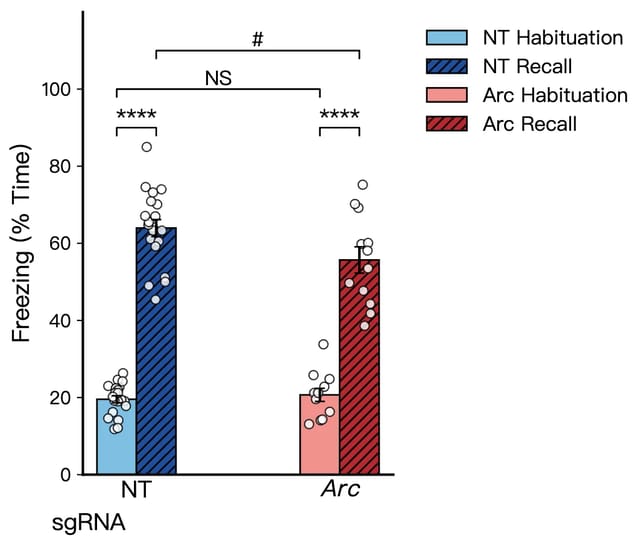
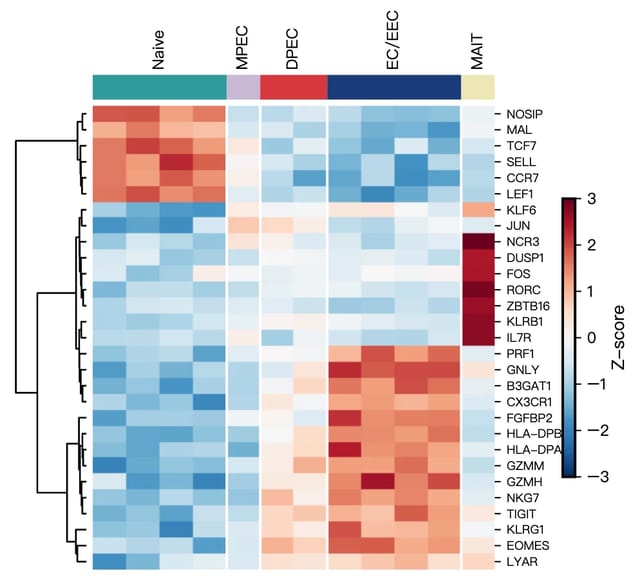
Data charts
Clean, publication-style charts from research data with better layouts, palettes, and annotations.
Explore→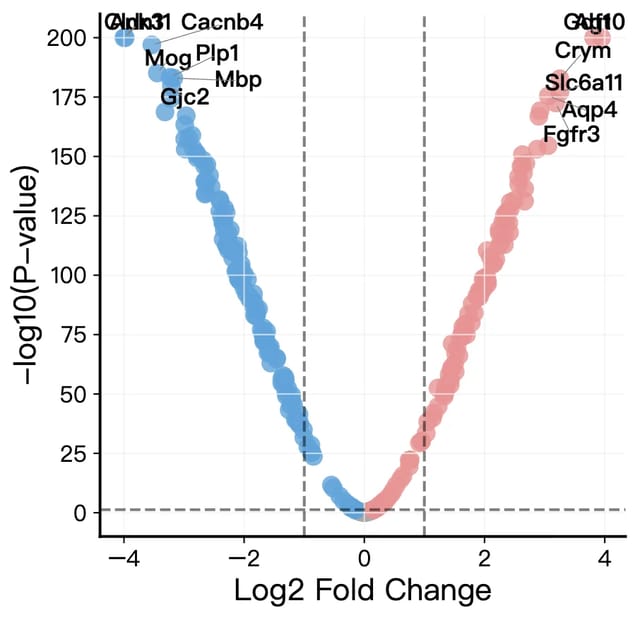
Volcano plots
Publication-ready volcano plots for RNA-seq, proteomics, and differential expression analysis.
Explore→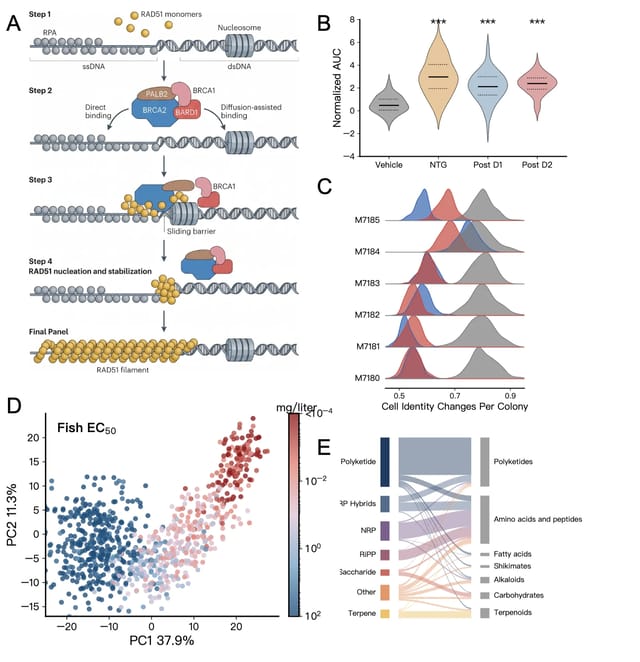
Multi-panel figures
Single figures, visual summaries, and multi-panel manuscript-grade research figure drafts.
Explore→Is FigCanvas a
Free BioRender
Alternative?
If you are searching for a free BioRender alternative, you are probably looking for a lower-friction way to create scientific visuals before committing to a paid tool.
FigCanvas offers a free way to try AI-powered scientific figure creation. Depending on your usage, you can start with free credits or free access to selected tools, then upgrade when you need more generations, advanced editing, or export options.
This makes FigCanvas useful for researchers who want to test whether an AI-assisted scientific figure workflow fits their needs before choosing a paid plan.
FigCanvas is not positioned as a one-to-one clone of BioRender. It is a different workflow for researchers who want to generate, refine, and export scientific figures from prompts, data, examples, or rough ideas.
How FigCanvas
Works
Start with a prompt, example, or data
Describe the figure you want, choose an example, or upload data for chart-based visuals — a research concept, a figure idea, a workflow description, or a dataset.
AI suggests a visual structure
FigCanvas helps identify suitable figure layouts, chart types, visual hierarchy, and scientific presentation styles, so you do not start from a blank canvas.
Generate a publication-style draft
A polished first version using scientific visual patterns, clean composition, and research-friendly color palettes — a concrete starting point for revision.
Refine and export
Adjust labels, colors, annotations, panels, and layout, then export as SVG, PDF, or PNG for manuscripts, posters, slides, or grant applications.
Who Should
Use FigCanvas?
FigCanvas is designed for researchers, graduate students, postdocs, biotech teams, scientific writers, and educators who need to create research visuals without spending hours manually arranging icons, shapes, and labels.
- № 01PhD students preparing paper figures or dissertation visuals
- № 02Postdocs creating manuscript, grant, or conference figures
- № 03Lab members making experimental workflow diagrams
- № 04Bioinformatics researchers creating data charts and pipeline visuals
- № 05Biotech teams preparing slides, reports, and scientific explainers
- № 06Educators explaining complex scientific concepts visually
- № 07Researchers who need graphical abstracts and publication-style figures
- № 08Scientific writers who prepare visuals across multiple research fields
A BioRender Alternative for a More AI-Assisted Workflow
BioRender helped make scientific illustration more accessible for many researchers. FigCanvas is built for the next step: creating scientific figures with AI assistance, editable outputs, and support for multiple research visual formats.
Use FigCanvas when you want to:
- 01 /Generate a scientific figure from a prompt
- 02 /Turn research ideas into visual drafts
- 03 /Create graphical abstracts and workflow diagrams
- 04 /Build data charts and publication-style figures
- 05 /Refine labels, colors, layouts, and annotations
- 06 /Export figures for papers, posters, slides, and grants
BioRender Alternative FAQ
Create your first scientific figure with FigCanvas
Generate scientific illustrations, graphical abstracts, workflow diagrams, and data charts from prompts or your own data. No design skills required.
- 01Free to start
- 02No credit card required
- 03Export as editable SVG