
AI Scientific Figure Generator
for Researchers
Create scientific illustrations, flowcharts, and data visualizations in one place. Describe your figure in a prompt or upload your data to get a first draft in under two minutes.
An AI workspace for research figures
FigCanvas is a web app where researchers make scientific illustrations, data plots, and flowcharts from a text prompt or an uploaded dataset, then edit and arrange them on one canvas. It is built for papers, theses, posters, and talks, and it is aimed at people who need good figures without design or coding work.
Free plan: daily credits and watermarked PNG export, publishable with a credit line. Pro: $19.90/month or $149.90/year ($12.50/month), watermark-free PNG, SVG, and PDF, no attribution, commercial use allowed. See pricing · Read the figure license
Not the best fit for
- Statistical testing and analysis. FigCanvas plots your data but is not a statistics package. Use GraphPad Prism, R, or Python for the analysis itself.
- Pixel-perfect vector artwork. For hand-drawn, fully controlled illustration, Adobe Illustrator or Inkscape give more precision.
- A large curated icon library. If you want to build figures from tens of thousands of expert-drawn icons, BioRender is built around that.
FigCanvas usage data, January to October 2026. Universities counted from academic email domains.
AI scientific illustration software for figures, mechanisms, and biological visuals
Create scientific illustrations for pathways, mechanisms, cell biology visuals, and experiment overviews. FigCanvas helps you turn a figure idea into a clean draft instead of starting from scratch. Describe the process or visual structure you want to show, then generate a figure you can refine for papers and slides.
Explore scientific illustration tools →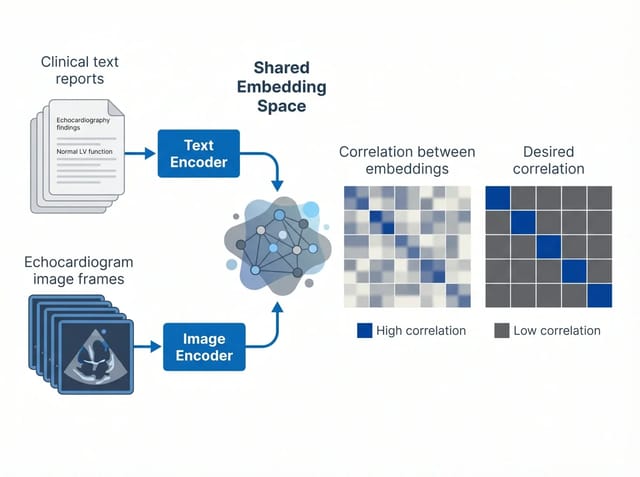 01 · Embedding
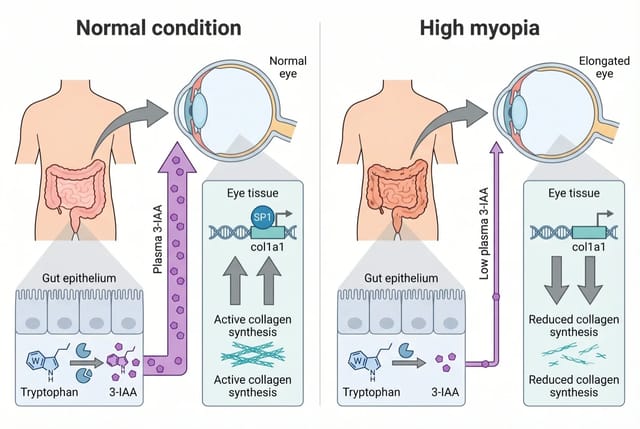 02 · Pathway
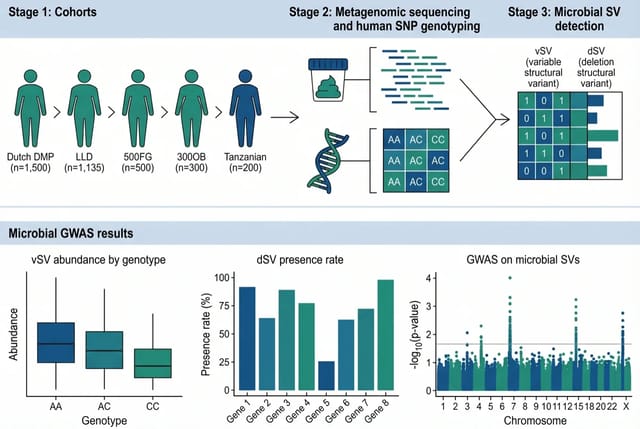 03 · Metagenomics
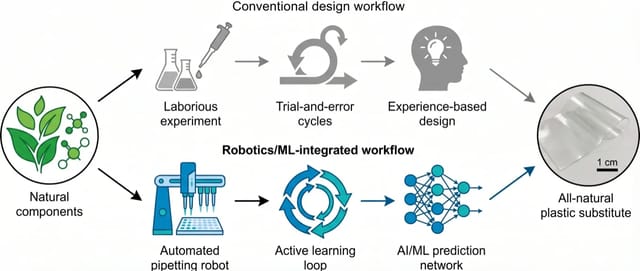 04 · Robotics
Turn data into publication-ready scientific visualizations
Upload your dataset or structured values to generate scientific visualizations faster, without rebuilding every figure manually. From volcano plots to other publication-ready visuals, FigCanvas turns raw data into figures that are easier to read and share.
Explore data visualization tools →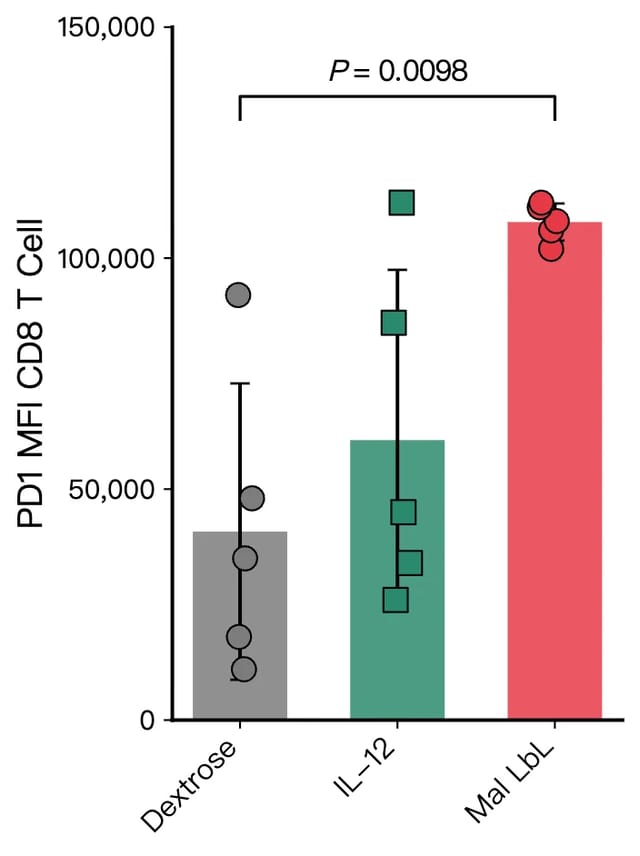 A · Bar chart
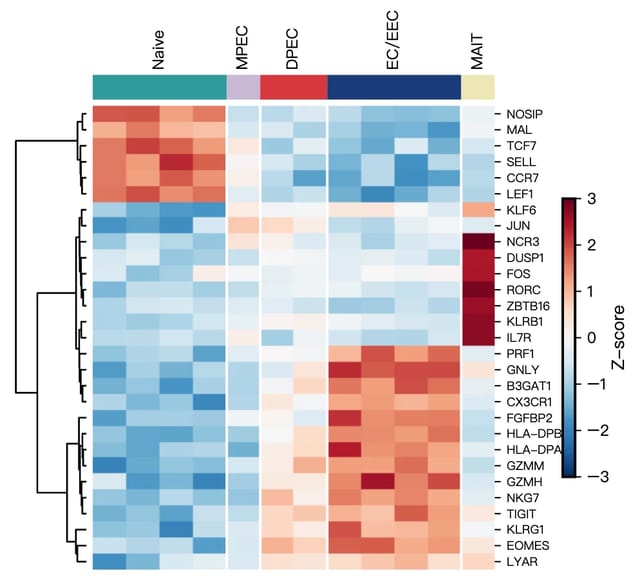 B · Heatmap
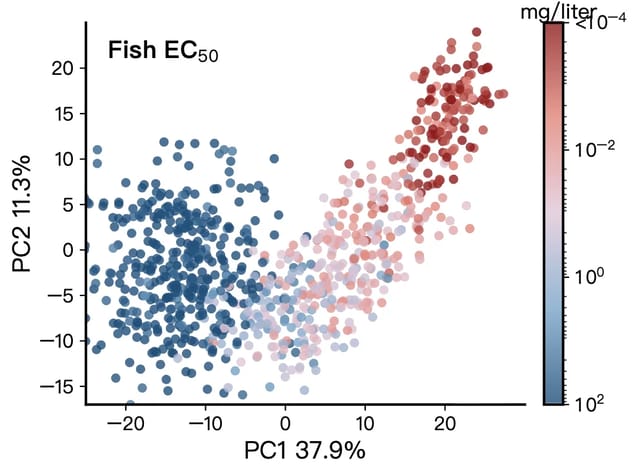 C · PCA
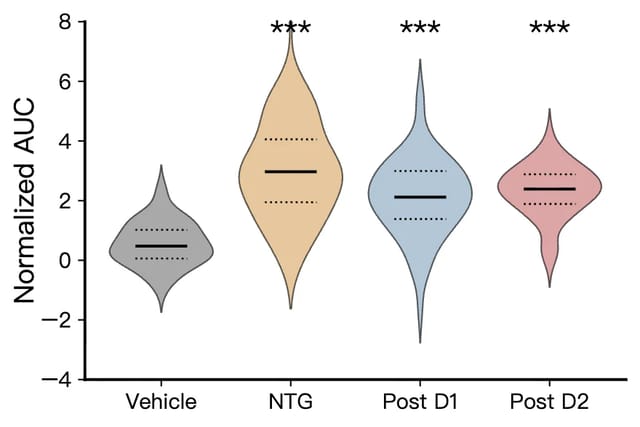 D · Violin
Turn methodology text into a flowchart instantly
Paste your methods section or protocol. FigCanvas extracts the steps and generates a clean, editable flowchart for experimental workflows, CONSORT diagrams, and bioinformatics pipelines. Ready for your manuscript or poster.
Try the flowchart maker →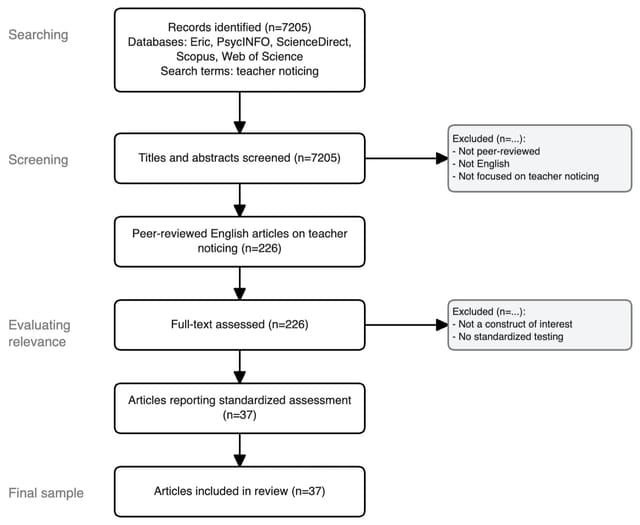 i · PRISMA
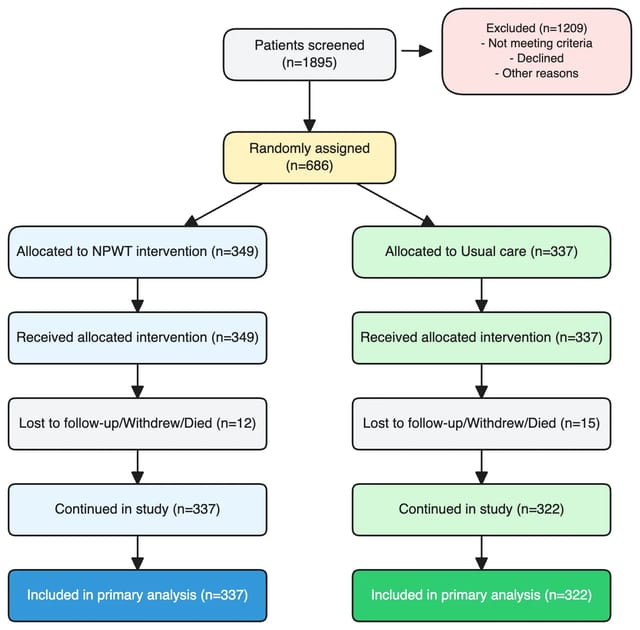 ii · CONSORT
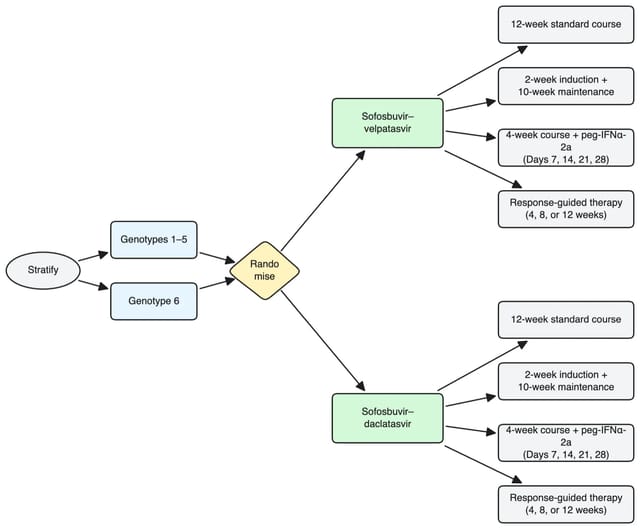 iii · RCT
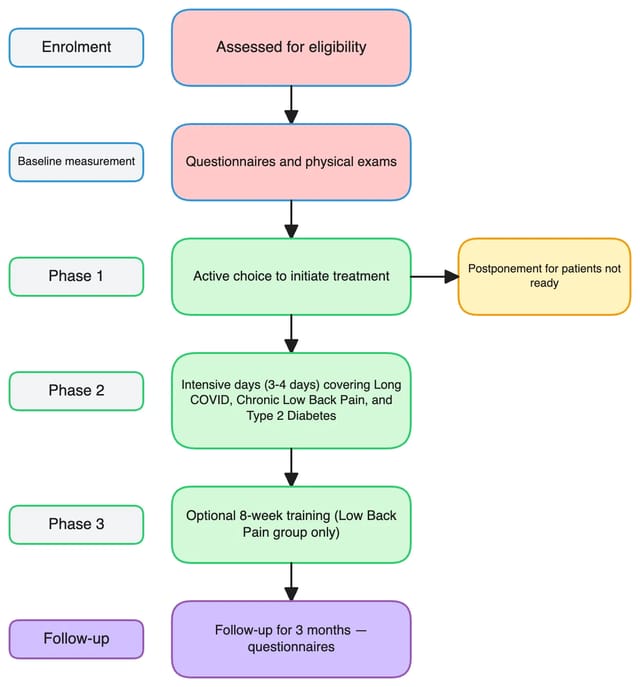 iv · Trial design
Infinite canvas for multi-panel scientific figures
Assemble multi-panel figures the way journals expect them. FigCanvas gives researchers an infinite canvas where data visualizations, scientific illustrations, and flowcharts live side by side. You stop juggling separate files or rebuilding layouts in PowerPoint.
Drag, align, and group panels with smart guides, then export the full composition as a publication-ready figure. It scales from a single plot to a 6-panel manuscript figure without breaking your workflow.
Sign up to try the infinite canvas →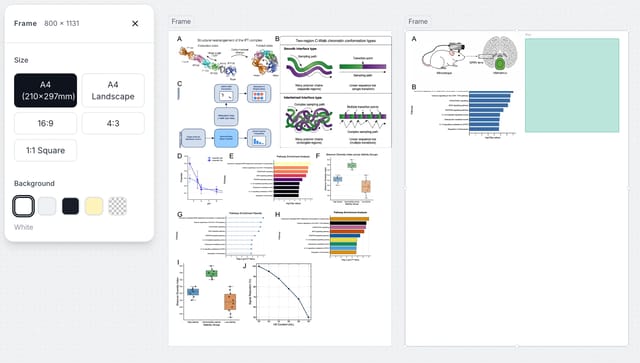
Export scientific figures as editable SVG
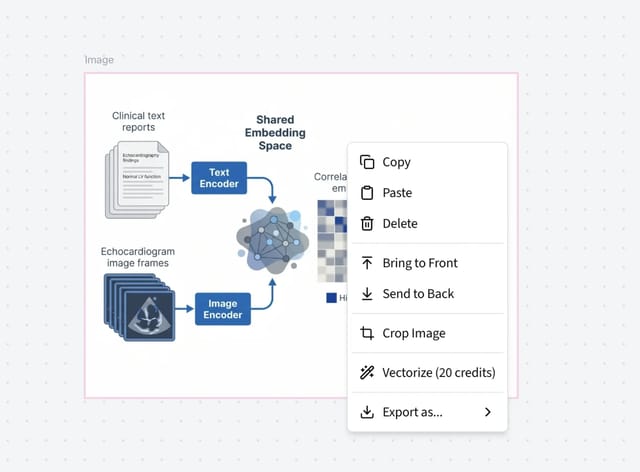
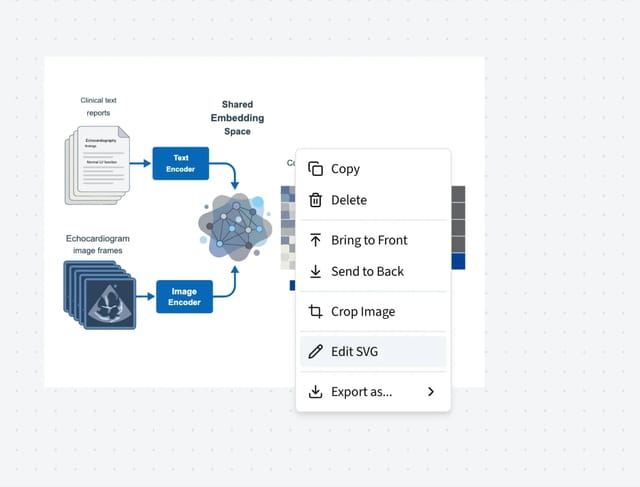
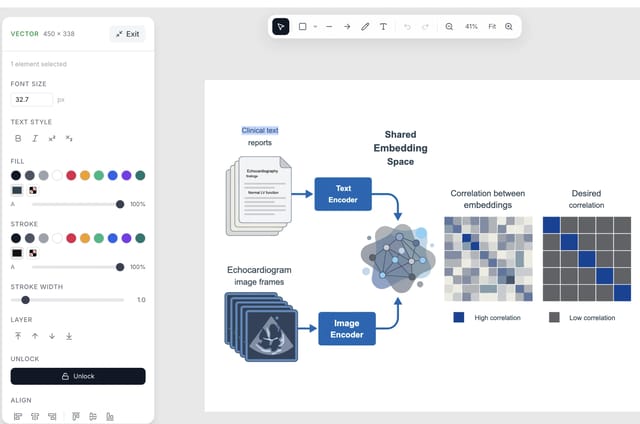
On Pro or a Credit Pack, any AI illustration can be converted to an editable SVG directly on FigCanvas (20 credits per conversion). Adjust labels, colors, text, and individual elements right in your browser — no need to download and open in a separate tool.
Paid plans export watermark-free PNG, editable SVG, and 300 DPI PDF for manuscripts, posters, and presentations. The free plan exports watermarked PNG.
How each figure type is made
FigCanvas uses a different method for each kind of figure. That matters for accuracy, editing, and journal policies on AI-generated images.
Data plots
- ·Upload CSV, TSV, TXT, XLSX and XLS files, or paste values
- ·The AI writes plotting code that runs in a sandbox and draws the chart from your actual numbers
- ·The same data and code give the same figure; Pro users can download the code
Journals: Plots are computed from your data, not drawn by an image model, so they can be reproduced and checked.
Flowcharts and diagrams
- ·Paste a methods section or describe a workflow; the AI produces a diagram definition
- ·Boxes, arrows, and labels are separate editable elements on the canvas
- ·Covers PRISMA, CONSORT, study designs, and analysis pipelines
Journals: Diagrams are structured drawings with real text, comparable to ones made by hand in a diagram editor.
Scientific illustrations
- ·Describe a pathway, mechanism, or study overview to get an AI-generated image
- ·On paid plans, Vectorize turns it into an editable SVG (20 credits)
- ·Best for graphical abstracts, overviews, and concept figures
Journals: Policies on AI-generated images vary and some journals restrict them. Check the policy and disclose AI use where required.
Styled after the conventions of published journal figures
Defaults for color, typography, and chart layout follow conventions common in published figures, so a first draft already looks like it belongs in a manuscript. Whether a figure is accepted is up to each journal and its policy on AI-generated images.
You describe the result you want or upload your data. FigCanvas handles the color choices, typography, and layout, so you spend your time on the science instead of the styling.
Color palettes from peer-reviewed publications
No more Excel rainbow defaults. Palettes are sourced from journals that reviewers already trust.
Typography that matches journal style guides
Font sizing, label placement, and spacing follow the conventions top publications use.
Chart conventions reviewers expect
Error bars, axis labels, and significance markers land in the right places by default.
How FigCanvas works
FigCanvas is scientific figure software built to help researchers create scientific illustrations, data visualizations, and flowcharts from prompts or data.
Describe your figure or upload your data
Start with a plain-language prompt, methodology text, or a dataset. FigCanvas supports scientific illustration, data visualization, and flowchart workflows in one place.
Generate a draft with AI
Use FigCanvas to generate a working first draft in under two minutes. Whether you need biological visuals, data visualizations, or flowcharts, the system picks the right figure type for your input.
Edit, arrange, and export
Refine labels, prompts, and layout after generation, then export PNG on any plan, or SVG and PDF on Pro. Use the infinite canvas to build cleaner multi-panel figures for papers and posters.
Why choose FigCanvas scientific figure software
One tool for illustrations, data plots, and flowcharts, with a free plan to start.
No coding required
Upload data or describe your figure in plain language to create visuals without writing code or building everything manually.
Built for scientific figure workflows
Built as scientific figure software for researchers, FigCanvas supports scientific illustration, data visualization, and flowchart workflows in one place.
Editable output with SVG support
Generate a draft quickly, then refine labels, layout, and details on the canvas. SVG and PDF export are included with Pro.
Infinite canvas for multi-panel figures
Use an infinite canvas with smart alignment to arrange charts, illustrations, and annotations into cleaner multi-panel figures for papers and presentations.
AI-powered draft generation
Use FigCanvas to turn prompts, paper summaries, and datasets into editable draft figures in minutes.
Turn data into the right chart automatically
Instead of deciding between a scatter plot, volcano plot, or other chart types on your own, upload your data and let FigCanvas suggest the best visual starting point.
Looking for a BioRender alternative?
See how FigCanvas compares to BioRender for graphical abstracts, scientific illustrations, workflow diagrams, and data charts — and when an AI-assisted workflow may be a better fit.
Frequently Asked Questions
FigCanvas is an AI-powered scientific figure tool built for researchers, students, and academic teams. It helps you create publication-ready scientific illustrations, data visualizations, and flowcharts without needing design skills or coding knowledge.
Yes. The free tier gives you 30 credits on your first day, 18 per day for the rest of your first 3 days as a welcome bonus, then 10 credits per day thereafter. Free exports are watermarked PNGs that you can publish in papers, theses, and posters with a credit line, but not use commercially. No credit card required.
figcanvas generates data plots (bar charts, scatter plots, heatmaps, volcano plots), scientific illustrations (cell diagrams, pathway figures, mechanism diagrams), flowcharts, and more.
FigCanvas gives you the right to publish. Paid exports need no attribution and can also be used commercially. Free exports can be published if you add "Created with FigCanvas (figcanvas.com)" to the figure legend and acknowledgments. Each journal sets its own policy on AI-generated images: data plots are rendered from your data with Python code and are reproducible, while AI illustrations may need to be disclosed or may be restricted. See figcanvas.com/license for the full terms.
Free users export PNG with a FigCanvas watermark. Pro users export watermark-free PNG, editable SVG, and 300 DPI PDF with no per-export cost; Credit Pack users get the same formats for 5 credits per export.
No. figcanvas is designed for researchers, not developers. You describe what you want in plain language and the AI handles the rest.
Yes. Data visualizations and flowcharts are directly editable on the canvas. For scientific illustrations, FigCanvas can convert the generated figure into an editable vector which you can refine element by element.
Your next figure,
ready in minutes
Stop spending afternoons adjusting colors and labels in Illustrator.
