
CONSORT Flow Diagram
Generator
Paste your trial counts and AI draws the CONSORT 2025 participant flow diagram in seconds: enrolment, allocation, follow-up and analysis, one column per arm. Then refine every count and reason in the online editor before you export.
Try this sample prompt or write your own
CONSORT and participant flow diagram examples
Randomised trial and enrolment flows generated from plain-language prompts. Hover any figure to read and copy the prompt behind it.
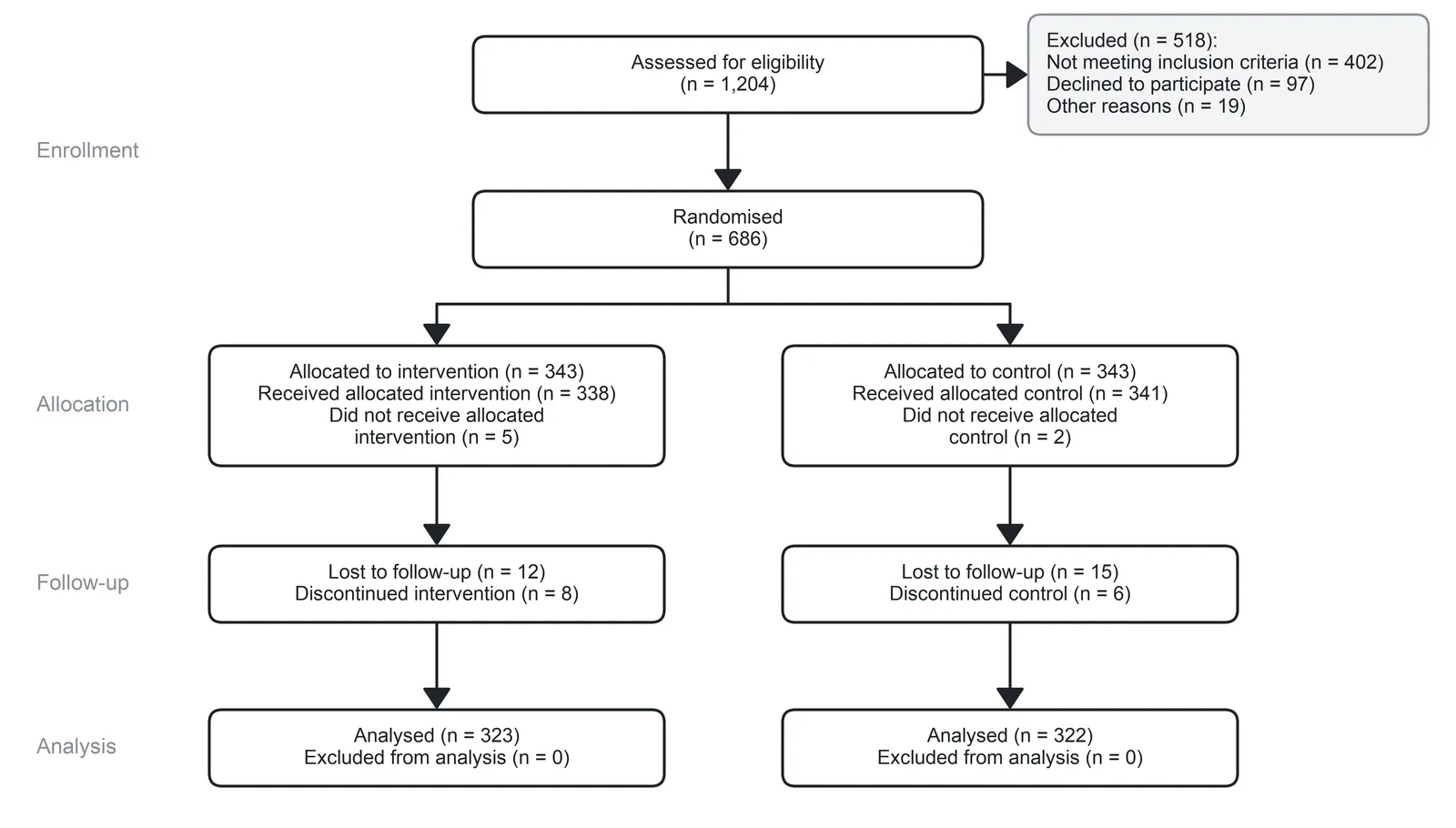
A CONSORT participant flow diagram for a two-arm randomised trial with stage labels Enrollment, Allocation, Follow-up and Analysis. Enrollment: "Assessed for eligibility (n = 1,204)" with a side box "Excluded (n = 518): Not meeting inclusion criteria (n = 402), Declined to participate (n = 97), Other reasons (n = 19)", then "Randomised (n = 686)". Allocation, left: "Allocated to intervention (n = 343), Received allocated intervention (n = 338), Did not receive allocated intervention (n = 5)"; right: "Allocated to control (n = 343), Received allocated control (n = 341), Did not receive allocated control (n = 2)". Follow-up, left: "Lost to follow-up (n = 12), Discontinued intervention (n = 8)"; right: "Lost to follow-up (n = 15), Discontinued control (n = 6)". Analysis, left: "Analysed (n = 323), Excluded from analysis (n = 0)"; right: "Analysed (n = 322), Excluded from analysis (n = 0)". don't use mermaid
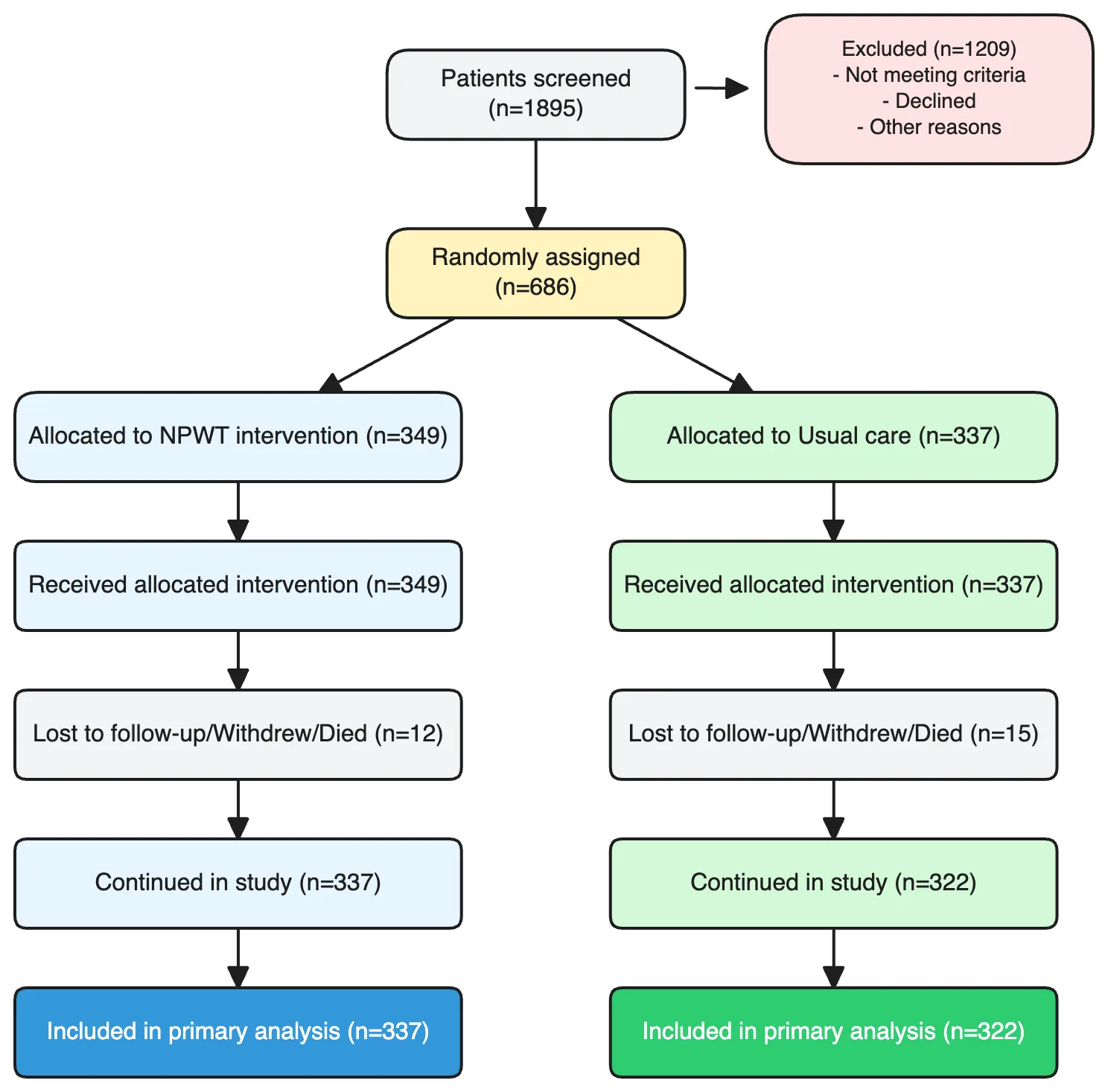
A CONSORT diagram tracking participants through a randomised wound-care trial. Start at the top with a node "Patients screened (n=1895)". An arrow drops down to a main spine; a side arrow branches right into an "Excluded (n=1209)" box that lists ineligibility reasons (not meeting age, wound, or consent criteria) and non-randomised cases. The spine continues to "Randomly assigned (n=686)". From there, two parallel branches split left and right into "NPWT intervention (n=349)" and "Usual care (n=337)". Each branch flows down through its own "Received intervention", "Withdrew or died during follow-up", "Continued in study", and finally "Included in primary analysis" boxes, with small side-notes for dropouts. Layout, spacing, and composition are up to the agent. Keep the two branches visually symmetric and the exclusion note clearly offset from the main spine. don't use mermaid
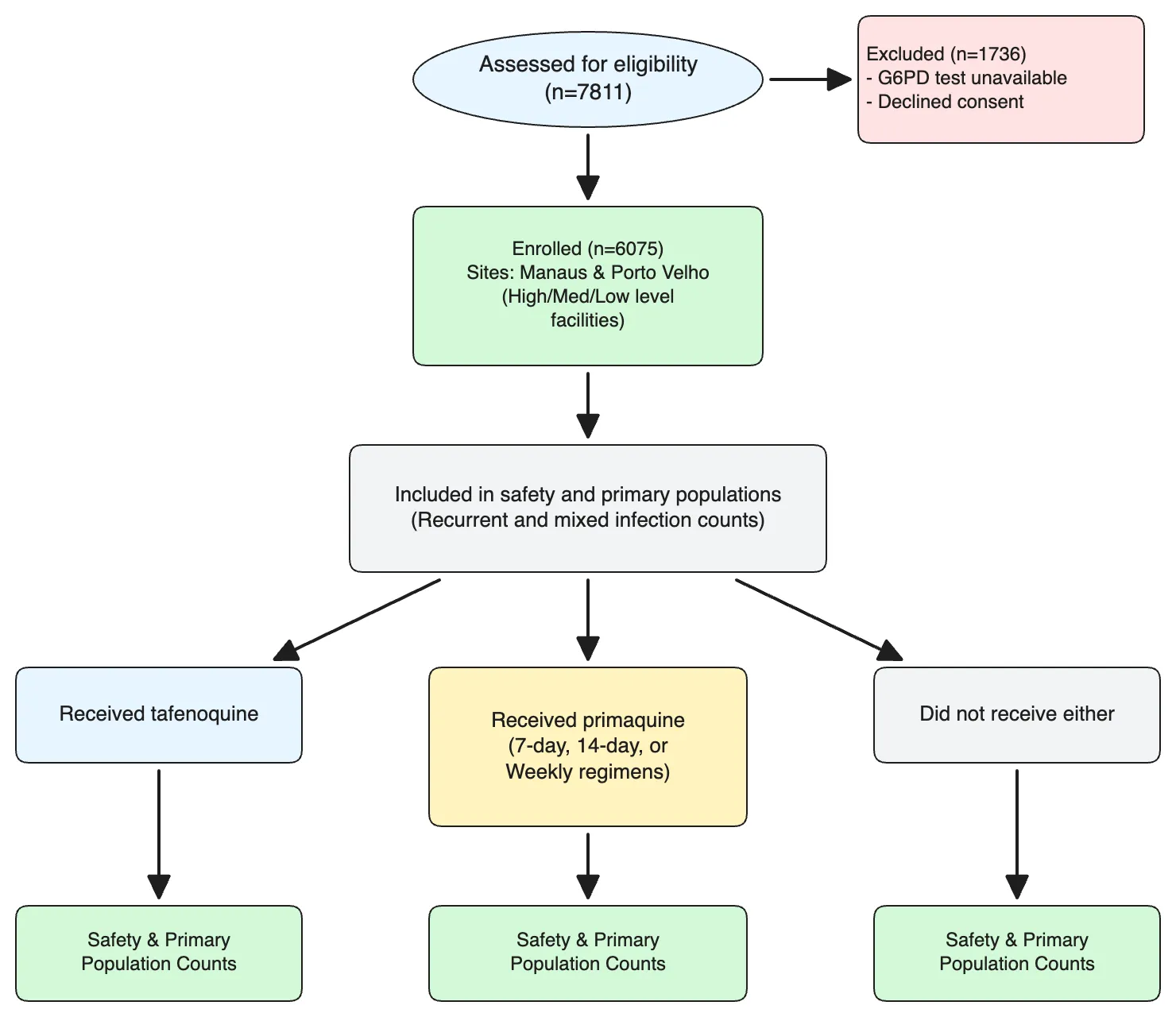
A top-down allocation flowchart for a retrospective antimalarial study. Start with "Assessed for eligibility (n=7811)". A side arrow branches right to "Excluded (n=1736)" with two sub-reasons (G6PD test unavailable, declined consent). The spine continues to "Enrolled (n=6075)", with small notes splitting enrolment across two sites (Manaus and Porto Velho, each further divided into high/medium-level and low-level health facilities). The next node is "Included in safety and primary populations", annotated with recurrent and mixed infection counts. From there, three parallel arrows branch into treatment groups: "Received tafenoquine", "Received primaquine", and "Did not receive either". The primaquine branch sub-splits into three regimens (7-day, 14-day, weekly). Each terminal group ends in a box summarising safety and primary-population counts. Layout and composition are up to the agent. Keep the three treatment branches clearly parallel. don't use mermaid
What is a CONSORT flow diagram?
CONSORT stands for Consolidated Standards of Reporting Trials. The CONSORT flow diagram is the figure in a randomised controlled trial report that shows how participants moved through the trial: how many were assessed for eligibility and excluded, how many were randomised and allocated to each arm, how many discontinued or were lost to follow-up, and how many were analysed.
CONSORT 2025 is the current version of the statement; its flow diagram template and checklist are published at consort-spirit.org and listed on the EQUATOR Network. Systematic reviews use a different diagram; make that with the PRISMA flow diagram generator.
What goes into a CONSORT flow diagram
The generator covers the four CONSORT 2025 stages, trials with more than two arms, and CONSORT-style flows for observational studies.
Enrolment
Participants assessed for eligibility, the excluded box with reasons (not meeting inclusion criteria, declined, other), and the number randomised.
Allocation
One column per arm: allocated, received the allocated intervention, and did not receive it, with reasons.
Follow-up
Participants who discontinued the intervention and those lost to follow-up for the primary outcome, each with reasons, per arm.
Analysis
Participants analysed for the primary outcome and those excluded from analysis, with reasons — the boxes editors compare against your results tables.
Three or more arms
Add a column per arm, or describe a factorial or cluster design in the prompt; the generator keeps the columns aligned stage by stage.
Cohort and screening flows
Eligibility and enrolment flows for cohort, retrospective and diagnostic studies that follow a CONSORT-style layout without randomisation.
Official template, a drawing tool, or an AI generator
Three common ways to make a CONSORT flow diagram. All three can produce an accepted figure; they differ in how much layout work is left to you.
| Option | How it works | Good at | Limits |
|---|---|---|---|
| Official CONSORT 2025 templateconsort-spirit.org (Word) | Download the Word template and type your counts into each box. | Exact official wording; free. | Manual layout. A third arm, extra reasons or a per-protocol population mean resizing boxes and arrows by hand. |
| Word, PowerPoint or draw.io | Draw the boxes and connectors yourself from a blank page. | Full control; tools you already have. | Slow to align columns; every count change risks shifting the layout. |
| FigCanvas generator (this page) | Paste counts and reasons as text; AI draws the diagram on an editable canvas. | Two or more arms, 2025 or 2010 wording, from one prompt; edit any box online. | Free exports are watermarked PNG; SVG and PDF need a paid plan. Check every count against your trial records. |
How to make a CONSORT flow diagram
From trial counts to an AI-drawn, online-editable CONSORT 2025 diagram in three steps.
Start from the CONSORT 2025 template
Click the sample prompt to load a two-arm CONSORT 2025 skeleton with every standard box already named, from enrolment to analysis.
Swap in your trial counts
Replace the example numbers and reasons with your own and hit Generate. AI lays out the boxes, arms, arrows and stage labels in seconds.
Edit online and export
Open the result in the online editor to fix a count, reword a reason, or add an arm, then export PNG, SVG, or PDF.
Why FigCanvas for CONSORT diagrams
AI does the drawing, in seconds
Describe your participant flow once and AI lays out both arms, every box and arrow — no aligning columns by hand in Word or PowerPoint.
Follows the CONSORT 2025 wording
The template uses the box text of the official CONSORT 2025 flow diagram, including "Lost to follow-up for primary outcome" and "Analysed for primary outcome".
Edit everything online
Fix a count, reword a reason, or add a third arm in the browser-based editor — no desktop software, no regenerating from scratch.
Export at journal quality
Free exports are watermarked PNG. Pro and Credit Pack exports are watermark-free PNG plus vector SVG and PDF, the format journals prefer for line art.
CONSORT diagrams from protocol to publication
Draft the flow at protocol stage, finalise it when the trial reports, and edit it when reviewers ask for changes.
For randomised trial manuscripts
Produce the participant flow diagram that journals ask for alongside the CONSORT checklist, with every exclusion and loss accounted for per arm.
For protocols and grant applications
Draft the expected participant flow while writing a SPIRIT protocol or a funding proposal, then update the counts when the trial reports.
For conference posters and slides
Export a clean participant flow for a poster or results talk, then resize it without the boxes and arrows drifting apart.
For revisions
Regenerate or edit the diagram when a reviewer asks you to split a reason, add a per-protocol population, or correct a count.
CONSORT Flow Diagram FAQs
A CONSORT flow diagram is the figure in a randomised controlled trial report that shows how many participants were assessed for eligibility, randomised, allocated to each arm, followed up, and analysed, with the number and reasons for exclusions and losses at each stage.
Yes. The sample prompt follows the box wording of the official CONSORT 2025 flow diagram published at consort-spirit.org: enrolment, allocation, follow-up and analysis, with "Lost to follow-up for primary outcome" and "Analysed for primary outcome". You can also ask for the CONSORT 2010 wording if a journal still uses it.
The four stages are the same. The 2025 template ties follow-up and analysis to the primary outcome ("Lost to follow-up for primary outcome", "Analysed for primary outcome"), where the 2010 template said "Lost to follow-up" and "Analysed". Check the official template for the exact wording before submission.
Yes. List each arm and its counts in the prompt; the generator adds a column per arm and keeps the stages aligned across columns. Factorial, crossover and cluster trials have their own CONSORT extensions, so describe the design and the boxes you need.
Yes. Cohort and retrospective studies often use a CONSORT-style participant flow without randomisation. Describe the eligibility, enrolment and analysis stages in the prompt; for systematic reviews use the PRISMA flow diagram generator at figcanvas.com/tools/prisma-flow-diagram-generator instead.
Yes. The diagram opens in FigCanvas’s online editor, where you can correct a count, reword a reason, or adjust spacing directly in the browser.
The free plan exports PNG with a FigCanvas watermark. Pro and Credit Packs export watermark-free PNG, SVG and PDF; the diagram is a true vector file, so it stays sharp at any size. For TIFF or EPS, convert the SVG as described at figcanvas.com/docs/export-formats.
The official editable CONSORT 2025 flow diagram is a Word file on consort-spirit.org. If you would rather not resize boxes by hand, load the sample prompt here, replace the counts, and export the result as PNG to paste into Word or Google Docs, or as SVG or PDF on a paid plan.
Yes, to start. Free daily credits cover several diagrams, and free exports are PNG with a FigCanvas watermark, publishable with a credit line. Watermark-free PNG, SVG and PDF need Pro or a Credit Pack.
Let AI draw your CONSORT diagram in seconds
Load the CONSORT 2025 template, paste your trial counts, and let AI do the drawing — then polish every box in the online editor and export.
More AI tools for scientific figures
View all tools →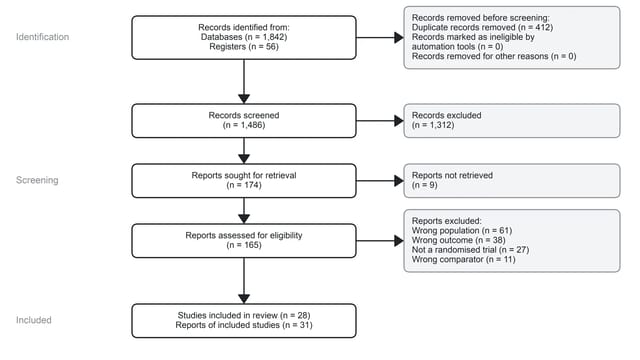
PRISMA Flow Diagram Generator
PRISMA 2020 flow diagrams for systematic reviews and meta-analyses, drawn from your screening counts.
Open tool →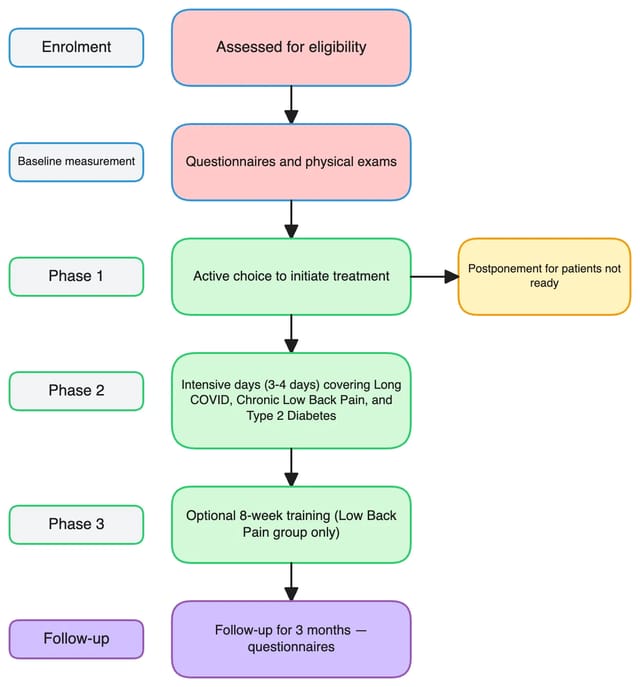
Scientific Flowchart Maker
Experimental workflows, study design diagrams and analysis pipelines for research papers.
Open tool →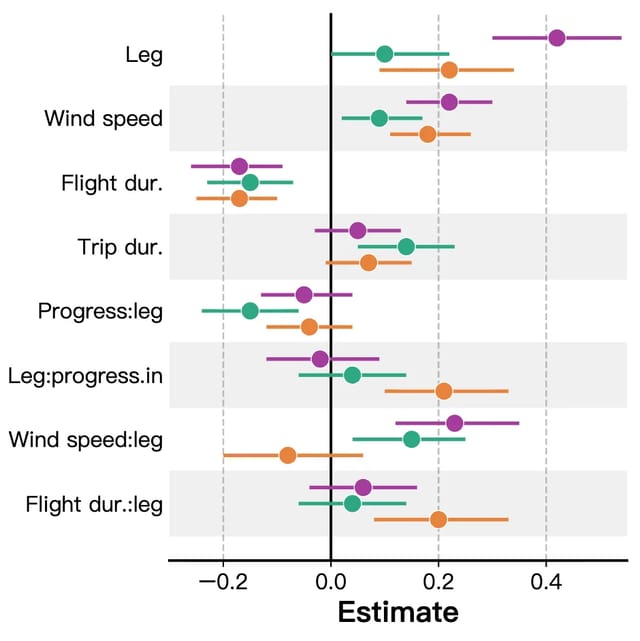
Forest Plot Maker
Forest plots for meta-analysis, systematic reviews and regression results with confidence intervals.
Open tool →