
Box Plot Maker box and whisker plots for papers
Upload grouped measurements and get a publication-ready box and whisker plot with individual data points, outliers and significance brackets computed from a real statistical test.
Free account · daily credits included · no credit card
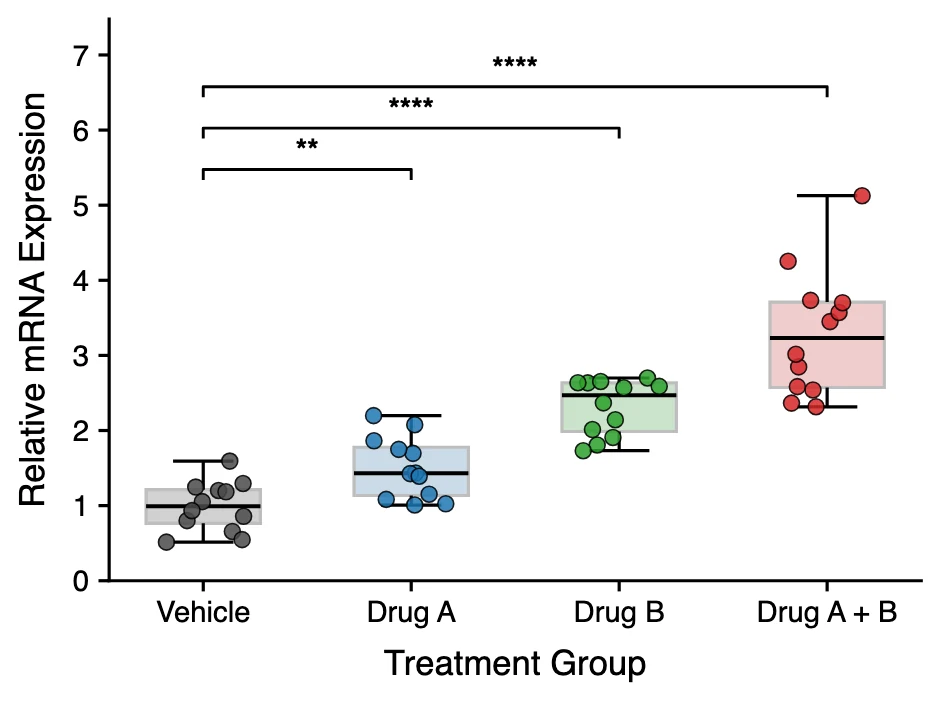
Example result · generated by FigCanvas from this sample data and prompt
Box plot examples
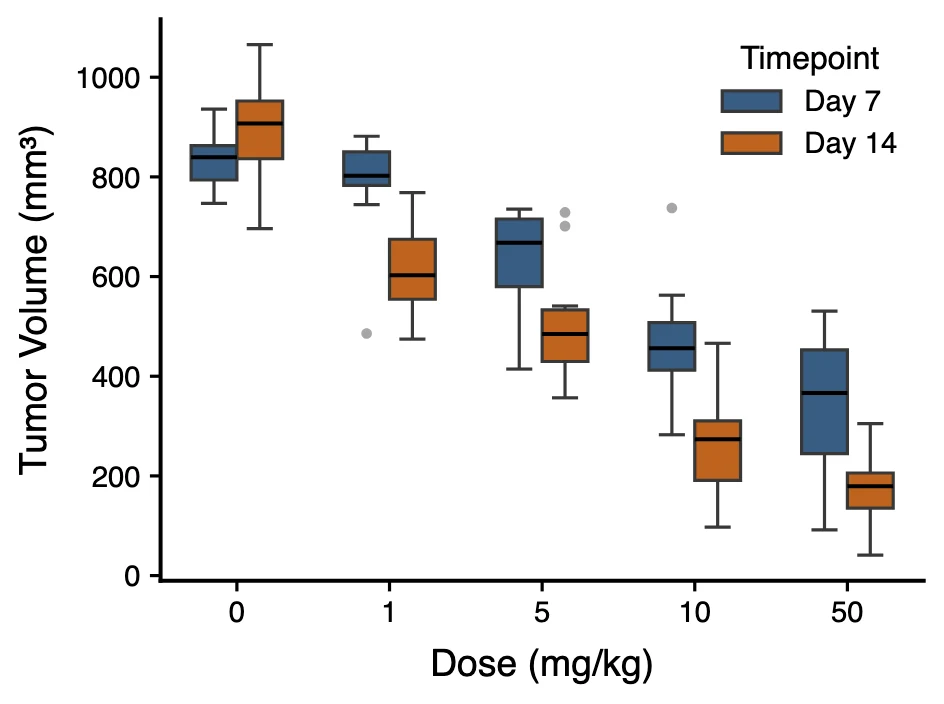
Both figures were generated by FigCanvas from the sample datasets above (simulated measurements) with the prompts shown. The significance brackets on the first plot are Welch t-tests against the vehicle group, computed from the data.
What a box and whisker plot shows
A box plot summarises the distribution of a measurement in each group with five numbers: the median, the two quartiles and the whisker ends. It shows the centre, spread and skew of the data at a glance and makes outliers visible, which is why it has replaced the bar chart with error bars in many journals.
Reading the box and the whiskers
The line inside the box is the median. The box spans the first quartile (Q1, 25th percentile) to the third quartile (Q3, 75th percentile), so it holds the middle half of the data. Its height is the interquartile range (IQR).
In the most common (Tukey) convention, each whisker extends to the most extreme data point within 1.5 × IQR of the box. Points beyond that are drawn individually as outliers. Some papers use min–max or 5th–95th percentile whiskers instead, so always state the convention in the figure legend.
Show the data points
With small samples, typical of biology experiments with 3 to 12 replicates, a box alone can hide how few points it is based on. Overlaying the individual values as a jittered strip or beeswarm shows the sample size and any bimodality.
Several journals, including those in the Nature portfolio, ask authors to show individual data points when n is small.
Box plot or bar chart?
A bar with a standard error bar shows only a mean and its precision. Two groups with very different distributions can produce identical bars. A box plot shows the distribution itself, so it is the better choice for continuous measurements.
Keep bar charts for counts and proportions, where the bar length is the quantity being reported.
Box plot or violin plot?
A box plot is compact and easy to read when there are many groups. A violin plot adds the full density shape, which reveals bimodal distributions that a box plot cannot show. With large samples, a violin with an embedded box gives both.
How to lay out data for a box plot
Long format, with one row per measurement, works best: one column for the group and one for the value. Wide format, with one column per group, is converted automatically.
- group
- Category for the x-axis: treatment, genotype, cell line, time point.
- value
- The numeric measurement for that replicate or subject.
- second factor
- Optional. A second categorical column (for example time point) produces a grouped box plot with side-by-side boxes.
| group | relative_expression |
|---|---|
| Vehicle | 1.201 |
| Vehicle | 1.247 |
| Drug A | 2.077 |
| Drug B | 2.634 |
Paired or repeated measurements? Add a subject ID column and ask for lines connecting each subject’s values.
How to make a box plot with FigCanvas
Go from grouped measurements to a publication-ready figure in four steps.
Upload grouped data
Upload a CSV or Excel file in long or wide format, or load one of the sample datasets.
Choose the comparisons
FigCanvas detects the group and value columns and suggests a layout: data points, whisker convention and which groups to compare.
Generate the figure
The plot and any statistical tests are computed in Python from your data and drawn with journal-style defaults and colorblind-safe colors.
Refine and export
Reorder groups, change colors or axis labels in plain language, then export SVG, PDF or PNG.
Why researchers make their figures with FigCanvas
Significance brackets from real tests
Asterisks are placed from a t-test, Mann-Whitney, ANOVA with post-hoc correction or another test you choose, run on the uploaded values. Nothing is typed in by hand.
Every data point visible
Jittered or beeswarm points are overlaid by default for small samples, as many journals now require.
Grouped and paired layouts
Two-factor designs become grouped box plots, and paired data can be connected subject by subject.
Editable vector export
Export SVG or PDF and fine-tune fonts and panel sizes in Illustrator, Inkscape or PowerPoint.
Box plot FAQs
A box plot shows the median (line in the box), the interquartile range (the box, from the 25th to the 75th percentile), the whiskers (usually the most extreme points within 1.5 × IQR of the box) and outliers beyond the whiskers. Together they describe the centre, spread and skew of the data.
Yes. Box plot and box and whisker plot are two names for the same chart, popularised by John Tukey in his 1977 book Exploratory Data Analysis. Some fields also call it a box-and-whiskers diagram. Variants differ only in where the whiskers end, so state the rule in the figure legend (for example 1.5 × IQR, or minimum to maximum).
A CSV or Excel file with one column for the group and one for the numeric value (long format), or one column per group (wide format). TSV and plain-text tables work too.
Yes. Ask for the comparisons you need, for example each treatment against control, and choose the test. The p-values are computed from your data and shown as asterisks or exact values with brackets.
Excel 2016 and later (including Microsoft 365) has a built-in box and whisker chart: select your data, then choose Insert > Insert Statistic Chart > Box and Whisker. It draws the quartiles and outliers but does not run a statistical test or add significance brackets. The FigCanvas box plot maker adds individual data points and test results from the same spreadsheet.
In R, use ggplot2: geom_boxplot() for the boxes, geom_jitter() for the points and stat_compare_means() from ggpubr for p-values. In Python, use seaborn.boxplot() with seaborn.stripplot() on top, and the statannotations package for significance brackets. Without code, upload the data to the FigCanvas box plot maker.
For continuous data use a box plot or a dot plot, not a bar chart of means. Bars with error bars hide the distribution: very different datasets can produce the same bar. Weissgerber and colleagues (PLOS Biology, 2015) showed this and recommended plots that show the individual data points, which many journals now ask for.
In the standard Tukey box plot, each whisker extends to the most extreme data point within 1.5 × IQR of the box, and points beyond that are drawn as outliers. Other conventions end the whiskers at the minimum and maximum, or at the 5th and 95th or 2.5th and 97.5th percentiles. Say which one you used in the figure legend.
You can sign up for free and make figures with the free daily credits. Free exports are watermarked PNG; Pro and Credit Pack users export editable SVG and 300 DPI PDF, ready for journal submission.
Make a box plot from your data
Upload grouped measurements and get a box and whisker plot with data points and computed significance tests, ready for your manuscript.
More AI tools for scientific figures
View all tools →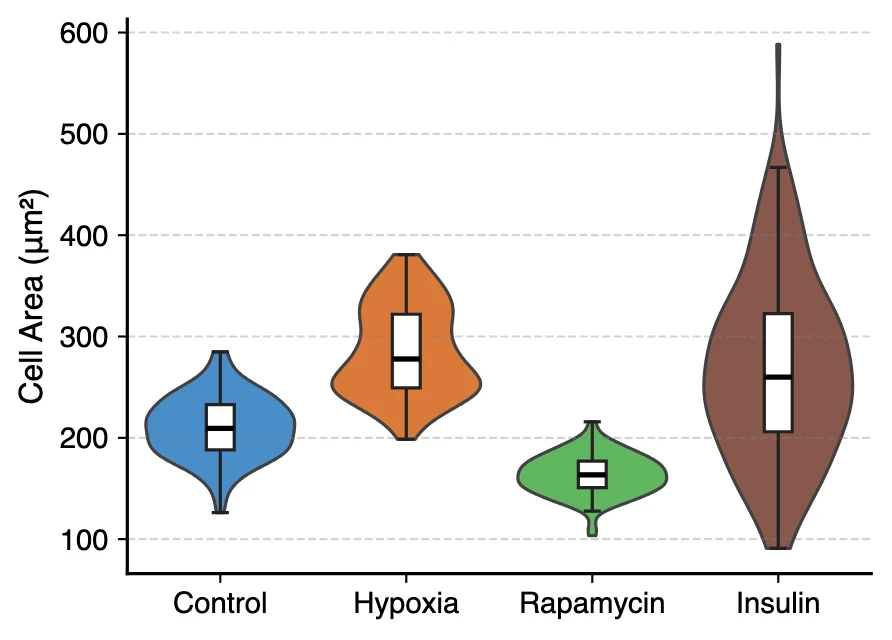
Violin Plot Maker
Violin plots with embedded box plots, split violins and stacked violins for single-cell marker genes.
Open tool →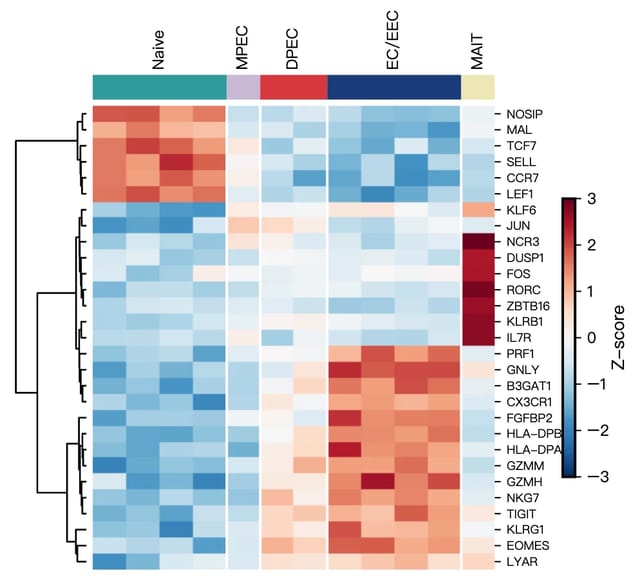
Scientific Data Visualization
Heatmaps, PCA, violin and bar charts for researchers, generated from CSV or Excel data.
Open tool →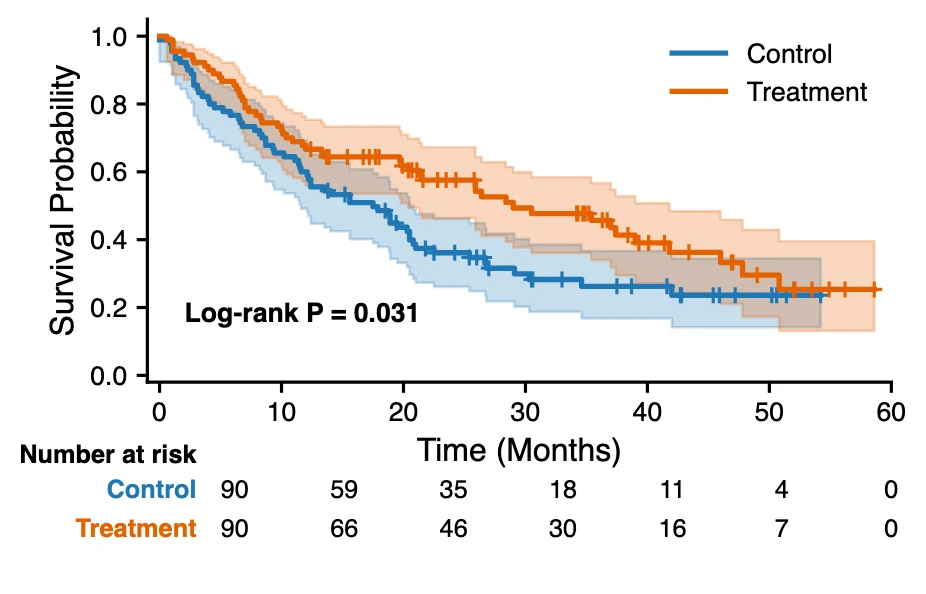
Kaplan-Meier Curve Generator
Kaplan-Meier survival curves with censoring marks, log-rank test and a number-at-risk table from time-to-event data.
Open tool →