
UpSet Plot Generator when a Venn diagram has too many sets
Upload gene lists, variant calls or any set membership table and get a publication-ready UpSet plot of every intersection, sorted and counted. No UpSetR or upsetplot code.
Free account · daily credits included · no credit card
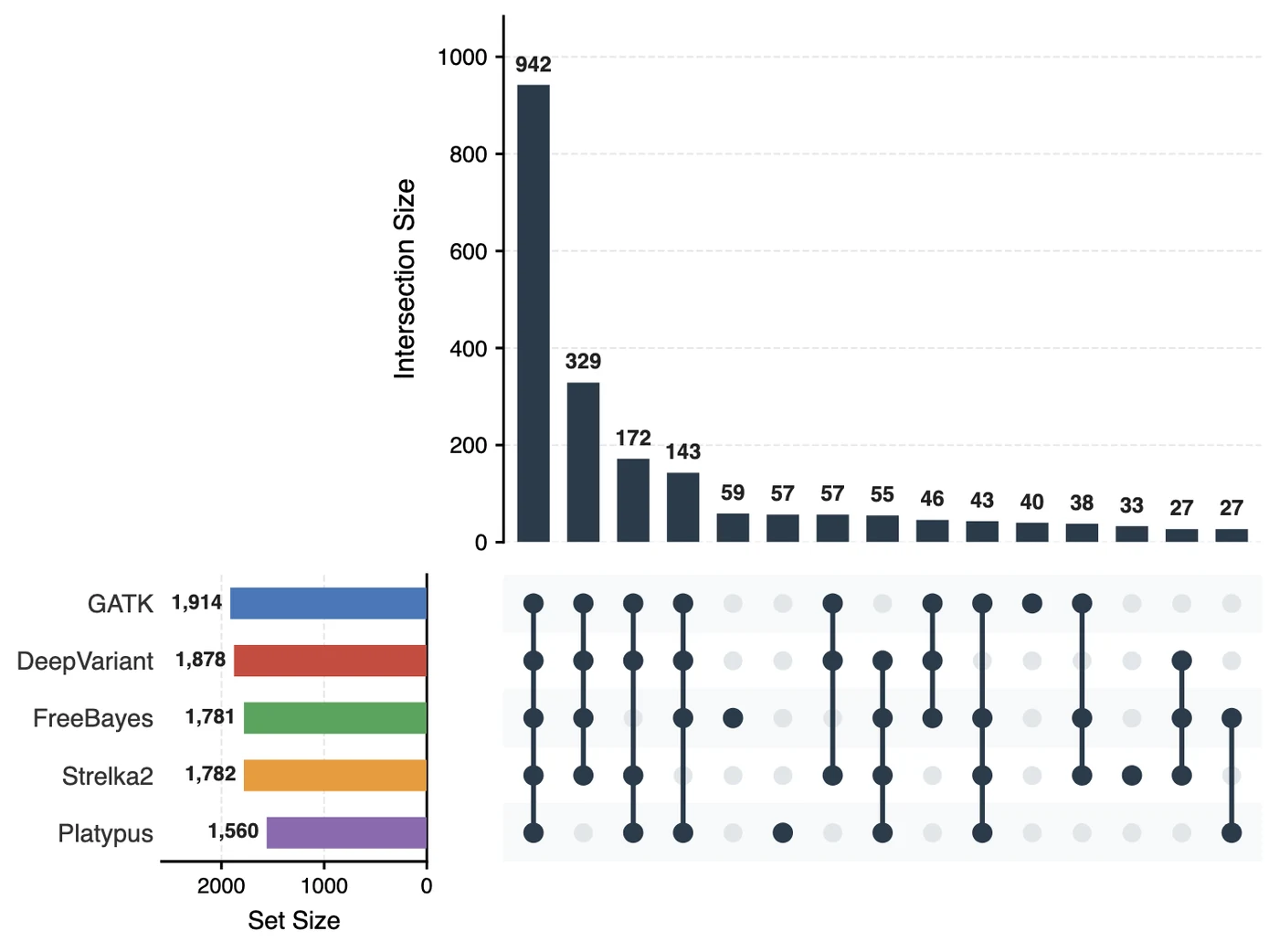
Example result · generated by FigCanvas from this sample data and prompt
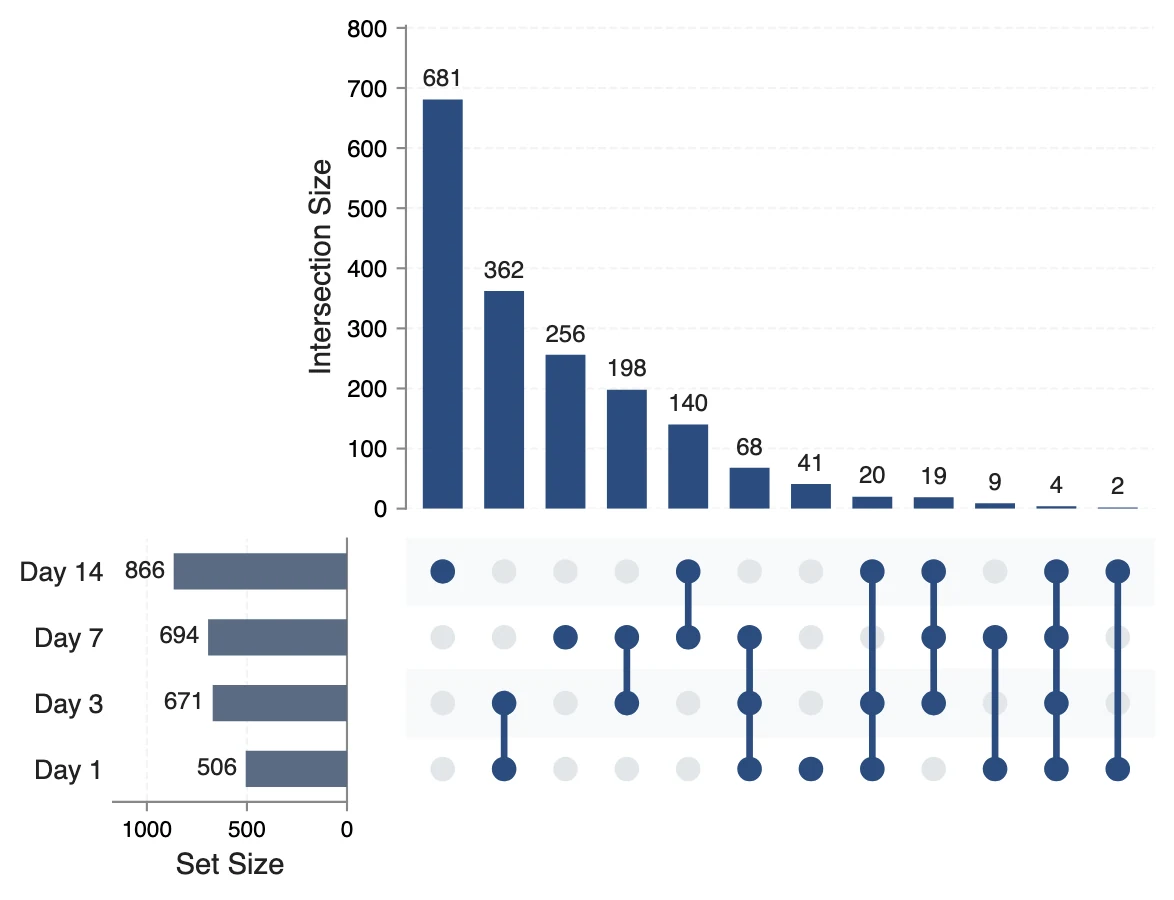
UpSet plot examples
Both figures were generated by FigCanvas from the sample datasets above (simulated gene and variant lists) with the prompts shown. With five callers a Venn diagram would need 31 regions; the UpSet plot lists the intersections that matter, largest first: 942 variants are called by all five.
What an UpSet plot shows
An UpSet plot shows how several sets overlap. Instead of drawing overlapping circles, it lists each intersection as a column: a dot matrix below says which sets take part, and a bar above says how many items are in it. It was introduced by Lex and colleagues in 2014 and has become the standard replacement for Venn diagrams with more than three or four sets.
How to read an UpSet plot
Each column is one intersection. Filled dots joined by a line show which sets it combines; a single dot is the items unique to that set. The bar above the column is the intersection size.
The horizontal bars on the left are the total size of each set. Columns are usually sorted by size, so the biggest overlaps come first.
Exclusive intersections
By default an intersection column counts items in exactly those sets and no others. A gene in sets A, B and C appears only in the A∩B∩C column, not in A∩B. This is why the bars add up to the number of distinct items, which a Venn diagram cannot show as clearly.
UpSet plot vs Venn diagram
Venn diagrams work for two or three sets. With four sets the shapes become ellipses that are hard to read, and with n sets there are 2ⁿ − 1 possible regions: 15 for four, 31 for five, 63 for six.
An UpSet plot scales to 20 or more sets because it only shows the non-empty intersections, sorted and optionally filtered by a minimum size.
Typical uses in research
Differentially expressed genes shared across conditions or timepoints, variants called by several pipelines, proteins detected in several samples, species shared across sites, or patients with combinations of comorbidities.
How to lay out data for an UpSet plot
Two layouts are accepted. A membership table has one row per item and one 0/1 column per set. A list table has one column per set, each holding that set’s item names; it is converted to a membership table for you.
- item ID
- Gene symbol, variant ID, protein accession or any unique item name. Optional for a membership table.
- one column per set
- 1 if the item belongs to the set, 0 if not (TRUE/FALSE also works). In list layout, the column instead holds the item names of that set.
| gene | Day_1 | Day_3 | Day_7 | Day_14 |
|---|---|---|---|---|
| GENE0001 | 0 | 0 | 1 | 0 |
| GENE0002 | 0 | 0 | 0 | 1 |
| GENE0003 | 0 | 0 | 1 | 1 |
| GENE0004 | 0 | 0 | 0 | 1 |
Sets of very different sizes? Ask to show intersection sizes as a percentage of each set, or to hide intersections below a minimum count.
How to make an UpSet plot with FigCanvas
Go from set lists to a publication-ready figure in four steps.
Upload sets
Upload a 0/1 membership table or one list per set in CSV or Excel, or load a sample dataset.
Choose sorting and filters
FigCanvas detects the sets and suggests a layout: sort by intersection size or degree, minimum intersection size and which sets to include.
Generate the figure
Intersections are counted in Python from your data and drawn with the intersection bars, dot matrix and set size bars aligned.
Refine and export
Highlight an intersection, rename sets or change colors in plain language, then export SVG, PDF or PNG.
Why researchers make their figures with FigCanvas
No UpSetR or upsetplot setup
Skip installing R packages or wrangling a pandas MultiIndex. Upload the lists you already have and get the plot.
Counts computed from your data
Every bar is counted from the uploaded membership, and intersections are exclusive by default, so the numbers add up.
Highlight the intersection that matters
Color the core set shared by all conditions, or the items unique to one, to point readers at the result.
Editable vector export
Export SVG or PDF and arrange the UpSet plot with other panels in Illustrator, Inkscape or on the FigCanvas canvas.
UpSet plot FAQs
An UpSet plot visualises the intersections of several sets. A dot matrix shows which sets form each intersection and a bar chart above it shows the intersection size; set sizes are shown as bars beside the matrix. It was introduced by Alexander Lex and colleagues in IEEE Transactions on Visualization and Computer Graphics in 2014 and replaces Venn diagrams when there are more than three or four sets.
Read it column by column. The filled, connected dots in a column tell you which sets the intersection includes, and the bar above it tells you how many items belong to exactly those sets. The left-hand bars are total set sizes.
Use a Venn diagram for two or three sets and an UpSet plot from four sets on. A Venn diagram of n sets has 2ⁿ − 1 regions: 3 for two sets, 7 for three, 15 for four, 31 for five and 63 for six, and from four sets on the shapes can no longer show every region clearly. An UpSet plot shows each non-empty intersection as a sorted bar instead.
A CSV or Excel membership table (one row per item, one 0/1 column per set) or a list table (one column per set holding item names). Gene lists copied from DESeq2 or limma results work directly.
Yes. The FigCanvas UpSet plot generator computes the intersections and draws the plot from an uploaded CSV or Excel file, so no UpSetR, ComplexHeatmap or Python code is needed.
In R, call upset(fromList(my_sets)) from the UpSetR package, or UpSet(make_comb_mat(my_sets)) from ComplexHeatmap for more control. In Python, build the data with upsetplot.from_contents(my_sets) and draw it with UpSet(data, subset_size="count").plot(). Without code, upload the lists to the FigCanvas UpSet plot generator.
Each set is one row, so an UpSet plot stays readable up to about 20 to 30 sets. The number of intersection columns grows quickly, so show only intersections above a minimum size or the largest 20 to 40.
Filter each comparison to its significant genes, for example adjusted P < 0.05 and |log2 fold change| > 1, and keep one list of gene IDs per comparison. Put each list in its own column of a CSV, or build a 0/1 table with one row per gene, and upload it to the FigCanvas UpSet plot generator. Each comparison becomes one set.
You can sign up for free and make figures with the free daily credits. Free exports are watermarked PNG; Pro and Credit Pack users export editable SVG and 300 DPI PDF, ready for journal submission.
Make an UpSet plot from your sets
Upload gene lists or a membership table and get every intersection counted, sorted and plotted, ready for your figure.
More AI tools for scientific figures
View all tools →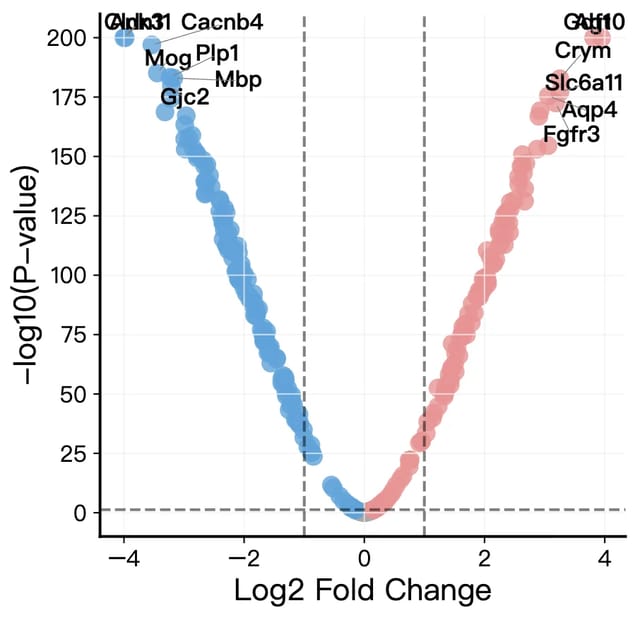
Volcano Plot Maker
Volcano plots for RNA-seq, proteomics and GWAS results with labeled genes and significance thresholds.
Open tool →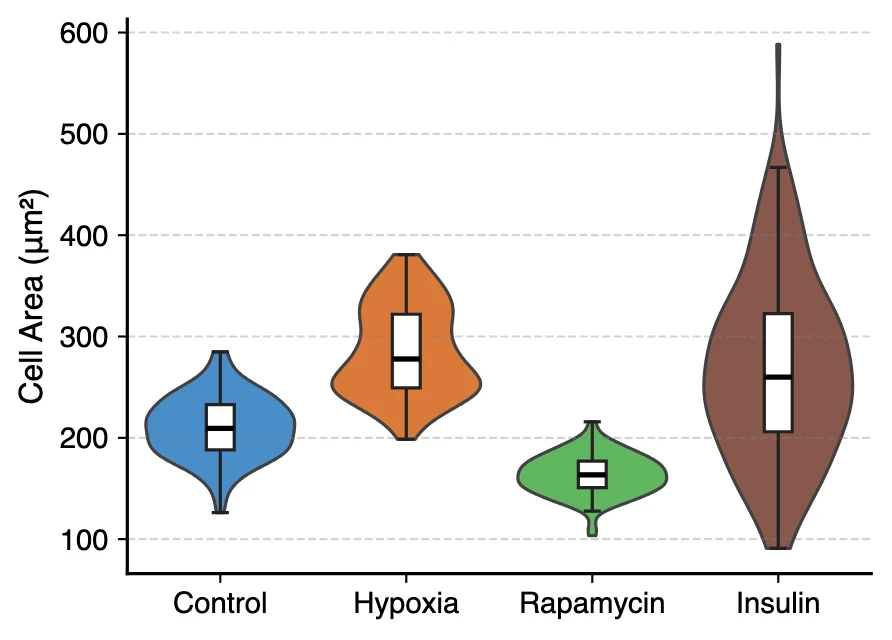
Violin Plot Maker
Violin plots with embedded box plots, split violins and stacked violins for single-cell marker genes.
Open tool →
Scientific Data Visualization
Heatmaps, PCA, violin and bar charts for researchers, generated from CSV or Excel data.
Open tool →