
Violin Plot Maker distributions you can publish
Upload grouped measurements or single-cell expression values and get a publication-ready violin plot, with an embedded box plot, individual points and statistical comparisons. No ggplot2 or seaborn code.
Free account · daily credits included · no credit card
Example result · generated by FigCanvas from this sample data and prompt
Violin plot examples
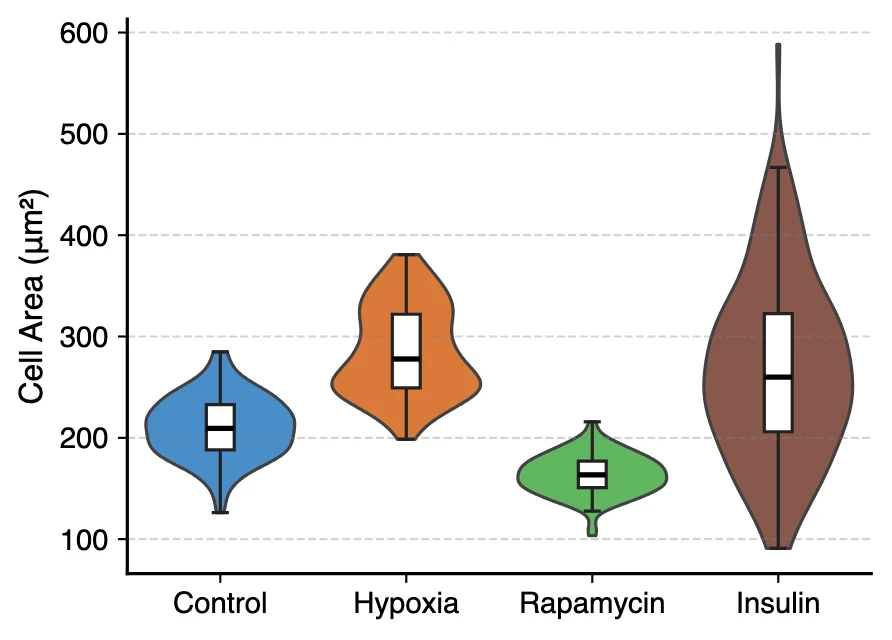
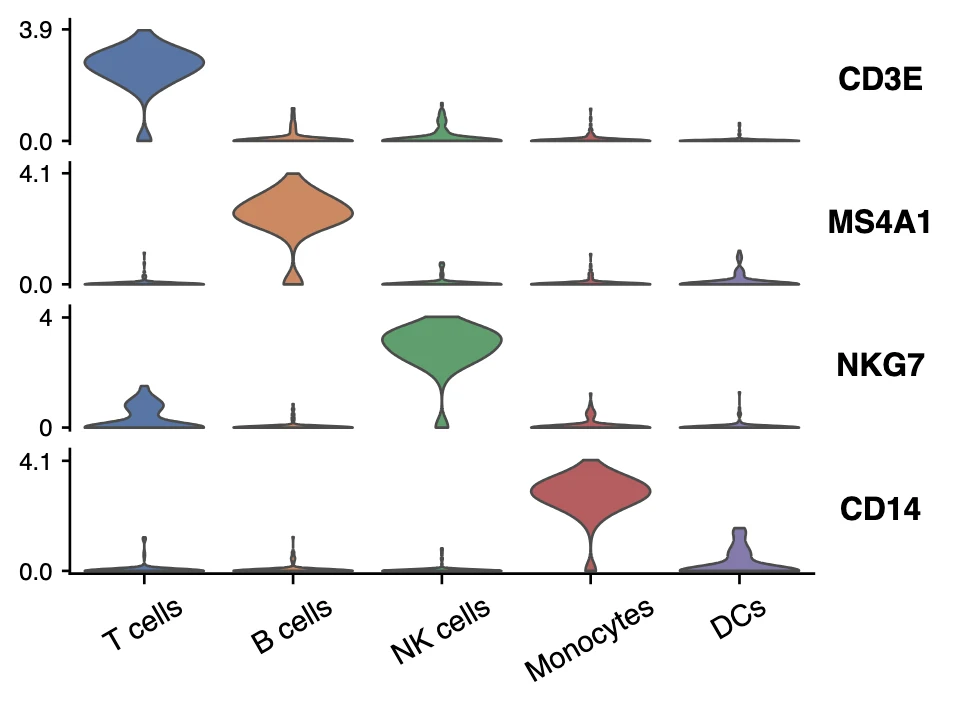
Both figures were generated by FigCanvas from the sample datasets above (simulated data) with the prompts shown. Note the hypoxia group in the first plot: two populations of cells that a box plot alone would hide.
What a violin plot shows
A violin plot draws the full distribution of a measurement in each group as a mirrored density curve, so the width at any height shows how many observations have that value. It combines the summary of a box plot with the shape of a histogram, which makes it the standard way to show distributions in single-cell genomics, imaging and neuroscience.
How to read a violin plot
Wide parts of the violin are values where observations are concentrated; narrow parts are rare values. Two bulges in one violin mean two subpopulations, a bimodal distribution, which a mean, a bar or a box plot would average away.
Most violins carry a small box plot or quartile lines inside, so the median and interquartile range can still be read directly.
Kernel density and bandwidth
The outline is a kernel density estimate. Its bandwidth controls smoothness: too small and the violin is jagged noise, too large and real bumps disappear. Defaults (Scott or Silverman rules) work for most data; mention any change in the legend.
By default the violin is cut at the observed minimum and maximum so it never suggests values that were not measured.
When to use a violin plot
Use a violin when each group has enough observations for a density to mean something, roughly 30 or more, such as cells, neurons or patients. For a handful of replicates, a box plot or a dot plot with all points is more honest.
Stacked violins, with one row per gene and one column per cluster, are the usual way to show marker genes in single-cell RNA-seq papers.
Violin plot or box plot?
A box plot shows five summary numbers; a violin shows the shape. If you care whether a group is skewed or bimodal, use a violin with an embedded box. If you compare many groups in a small panel, the box plot is easier to read.
How to lay out data for a violin plot
Long format with one row per observation works best. For single-cell data, use one row per cell, a cluster column and one column per gene.
- group
- Category for the x-axis: treatment, genotype, cluster or cell type.
- value
- The numeric measurement for each observation. Several value columns (for example several genes) give stacked or faceted violins.
- split
- Optional. A two-level column (for example sex or condition) draws split violins with one half per level.
| condition | cell_area_um2 |
|---|---|
| Control | 268.3 |
| Control | 196.5 |
| Hypoxia | 248.7 |
| Rapamycin | 149.4 |
Exporting from Seurat or Scanpy? Write the expression of the genes you want (plus the cluster labels) to a CSV and upload that file.
How to make a violin plot with FigCanvas
Go from grouped measurements to a publication-ready figure in four steps.
Upload your data
Upload a CSV or Excel file of grouped measurements or per-cell expression values, or load a sample dataset.
Pick the violin style
FigCanvas detects groups and value columns and suggests a style: embedded box, quartile lines, data points, split or stacked violins.
Generate the figure
Densities and any statistical tests are computed in Python from your data and drawn with journal-style defaults and colorblind-safe colors.
Refine and export
Adjust group order, colors, bandwidth or labels in plain language, then export SVG, PDF or PNG.
Why researchers make their figures with FigCanvas
Box, points and violin in one figure
Combine the density with an embedded box plot or jittered points so readers see both the shape and the summary statistics.
Built for single-cell figures
Stacked violins of marker genes across clusters, the layout of Scanpy and Seurat, from a plain CSV.
No ggplot2 or seaborn code
Skip geom_violin and seaborn.violinplot parameter tuning. Describe the change you want and the figure is redrawn.
Editable vector export
Export SVG or PDF and adjust fonts, line weights and panel size in Illustrator or Inkscape.
Violin plot FAQs
A violin plot shows the distribution of a numeric variable for each group as a mirrored density curve, usually with a small box plot or the quartiles inside. It was introduced by Jerry Hintze and Ray Nelson in The American Statistician in 1998 as a combination of the box plot and the density trace. Where the violin is wide, many observations share that value.
Read the width: wide sections are common values, narrow sections are rare ones. The line or dot inside marks the median, and the small box around it is the interquartile range. Two bulges mean a bimodal distribution with two subpopulations.
Use a violin plot when you have enough observations per group (roughly 30 or more) and the shape of the distribution matters, for example to show skew or two subpopulations. With few replicates, a box plot or a dot plot of all points is clearer.
Yes. Upload one row per cell with a cluster column and one column per gene, and ask for a stacked violin plot. Each gene becomes a row and each cluster a column.
Yes. Ask for the comparisons and the test (for example Mann-Whitney or Kruskal-Wallis with post-hoc correction). P-values are computed from your data and shown as brackets with asterisks or exact values.
In R, use geom_violin() from ggplot2 and add geom_boxplot(width = 0.1) for the embedded box; for single-cell data, Seurat has VlnPlot(). In Python, use seaborn.violinplot(); for marker genes across clusters, scanpy has sc.pl.stacked_violin(). Without code, the FigCanvas violin plot maker draws both from a CSV or Excel file.
Excel has no violin chart type, so you would have to compute the density yourself. GraphPad Prism 8 and later can draw violin plots from column data. The FigCanvas violin plot maker makes them from a CSV or Excel file without either program.
The small box inside a violin is a box plot of the same data: the line or dot in the middle is the median, the box spans the 25th to 75th percentiles, and the thin line usually extends to 1.5 × IQR. Some plots show only dashed lines at the three quartiles instead.
You can sign up for free and make figures with the free daily credits. Free exports are watermarked PNG; Pro and Credit Pack users export editable SVG and 300 DPI PDF, ready for journal submission.
Make a violin plot from your data
Upload grouped measurements or single-cell expression values and get a figure with box, points and statistics, ready for your paper.
More AI tools for scientific figures
View all tools →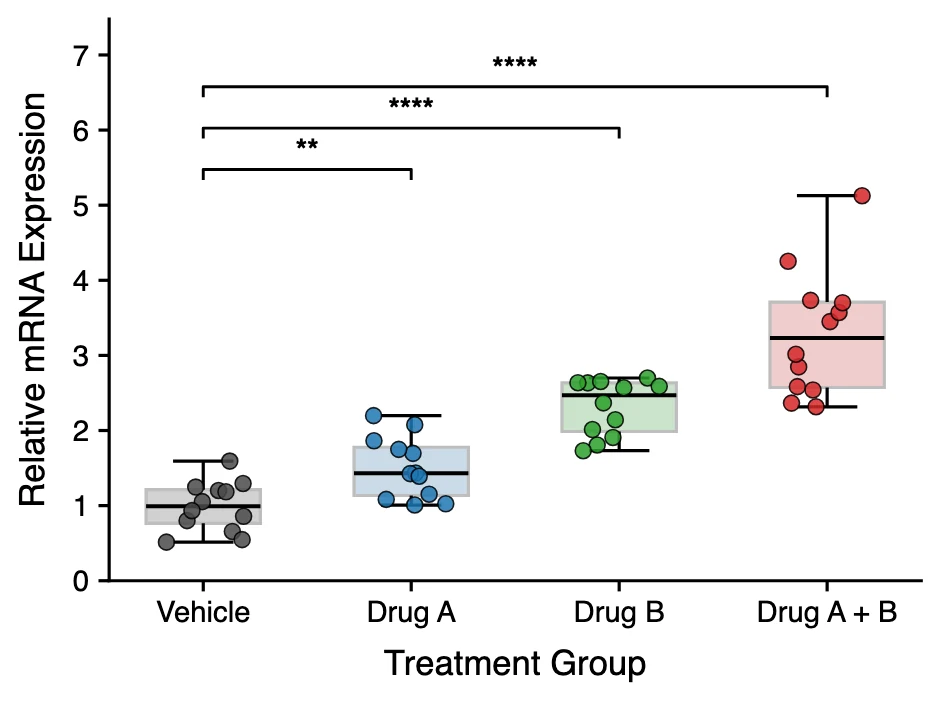
Box Plot Maker
Box and whisker plots with individual data points and significance brackets computed from your data.
Open tool →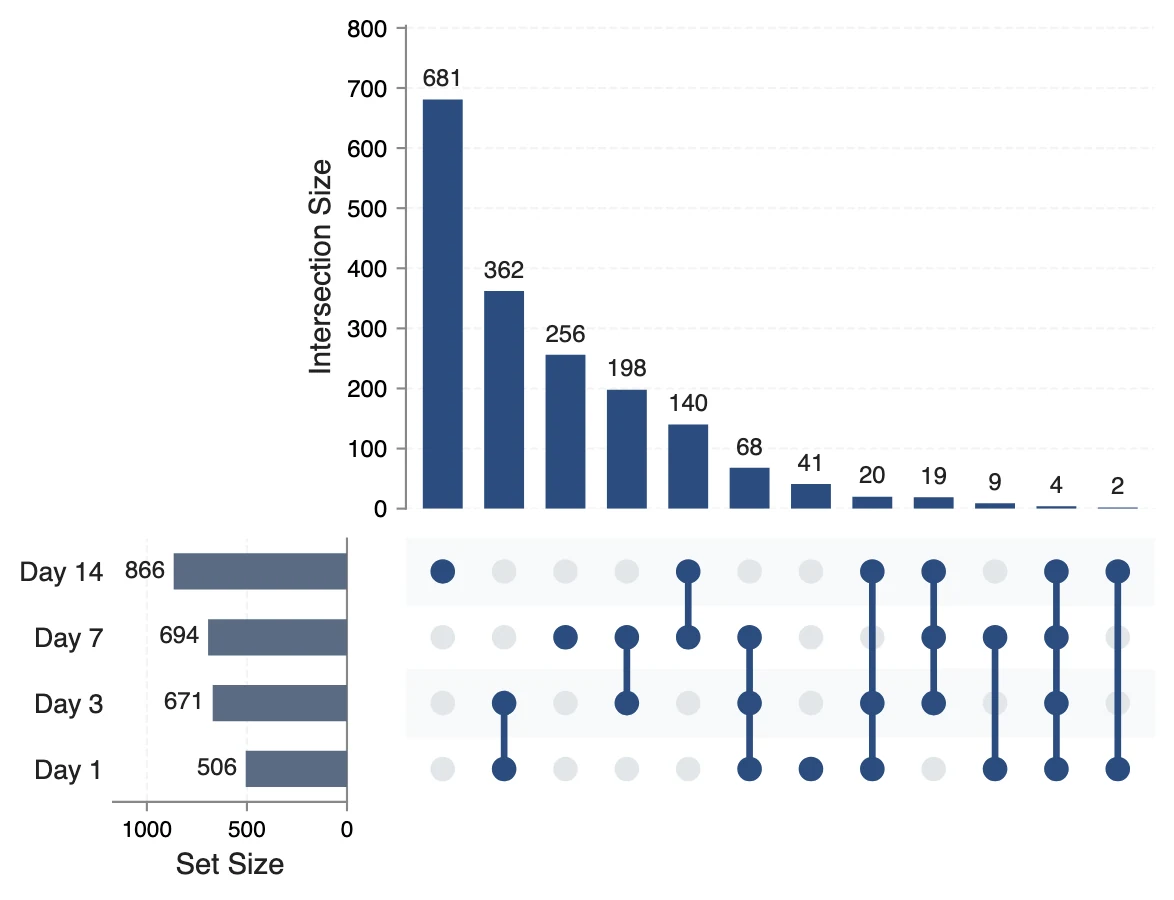
UpSet Plot Generator
UpSet plots of gene lists, variant calls or any sets, for overlaps a Venn diagram cannot show.
Open tool →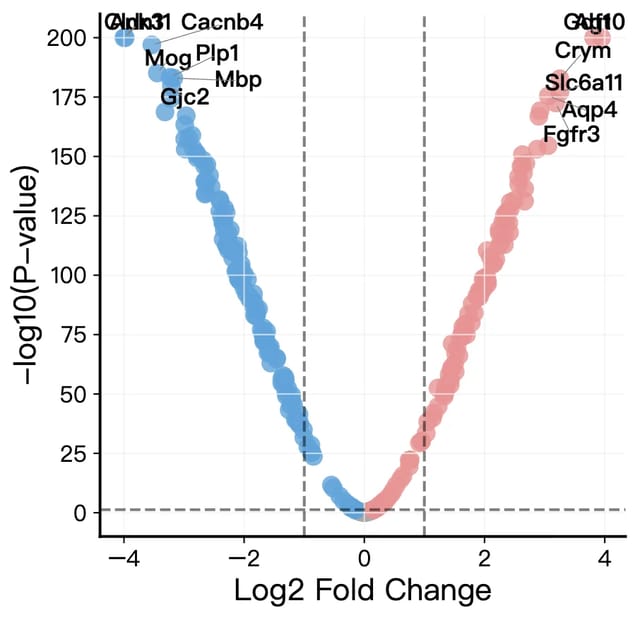
Volcano Plot Maker
Volcano plots for RNA-seq, proteomics and GWAS results with labeled genes and significance thresholds.
Open tool →