
Kaplan-Meier Curve Generator for survival analysis
Upload time-to-event data and get a publication-ready Kaplan-Meier survival curve with censoring marks, a log-rank P value and a number-at-risk table. No R, SPSS or Prism required.
Free account · daily credits included · no credit card
Example result · generated by FigCanvas from this sample data and prompt
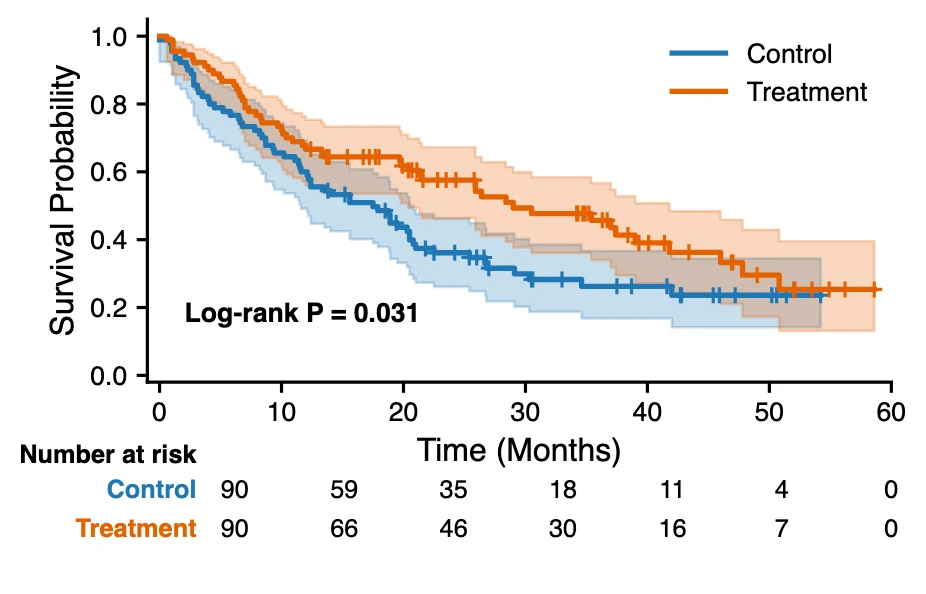
Kaplan-Meier curve examples
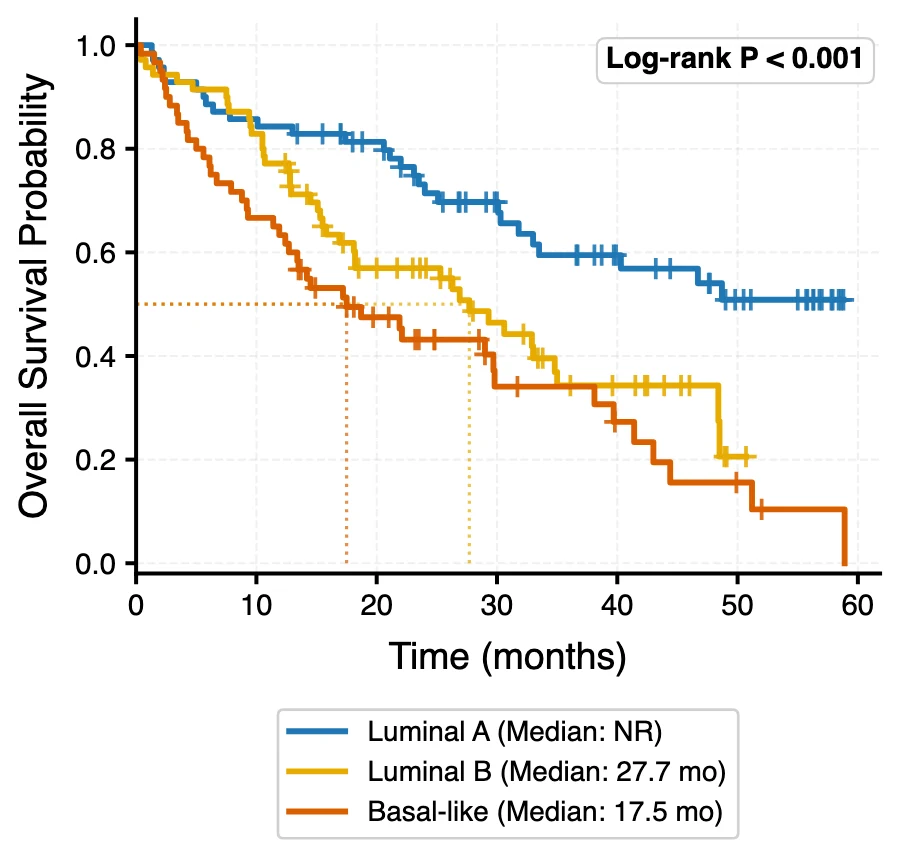
Both figures were generated by FigCanvas from the sample datasets above (simulated patients) with the prompts shown. In the two-arm trial the log-rank P is 0.031; in the three-subtype example median survival is 27.7 months for Luminal B and 17.5 months for basal-like, while Luminal A never drops below 50% (median not reached).
What a Kaplan-Meier curve shows
A Kaplan-Meier curve estimates the probability of surviving, or of staying free of an event such as relapse, at each point in time. It is a step function: the curve stays flat while nothing happens and drops each time an event occurs. It is the standard figure for overall survival, progression-free survival and any other time-to-event outcome in clinical and preclinical studies.
How to read the curve
The y-axis is the estimated survival probability, starting at 1.0 (everyone event-free). The x-axis is time since the start of follow-up. Each downward step is one or more events at that time; the size of the step depends on how many subjects were still at risk.
Median survival is the time at which the curve crosses 0.5. If a curve never falls below 0.5, the median is "not reached", which is a valid result, not an error.
Censoring and the tick marks
A subject is censored when follow-up ends without an event: they left the study, or the study closed. Censored subjects count as at risk up to their last follow-up and then leave the denominator without causing a drop.
The small vertical ticks on the curve mark censoring times. Many ticks late in follow-up mean the tail of the curve rests on few subjects, so it should be read with caution.
Comparing groups: the log-rank test
When the curves of two or more groups are compared, the usual test is the log-rank test, which compares observed and expected events in each group across the whole follow-up. Report its P value on the plot or in the legend.
The log-rank test assumes the hazards are roughly proportional. If the curves cross, say so and consider a Cox model with time-varying effects or a restricted mean survival time comparison instead.
The number-at-risk table
Most journals, including those following CONSORT, expect a number-at-risk table under the x-axis: how many subjects in each group are still followed and event-free at regular time points. It lets readers judge how much data supports each part of the curve.
Confidence bands (usually 95%) around each curve show the same thing visually: they widen as the number at risk falls.
How to lay out data for a Kaplan-Meier curve
Use one row per subject. Three columns are enough; FigCanvas detects them by name and content, and you can confirm the mapping before plotting.
- time
- Follow-up time until the event or until censoring, in days, weeks, months or years. Use one unit for the whole column.
- event
- 1 if the event (death, relapse, progression) happened at that time, 0 if the subject was censored. TRUE/FALSE and Dead/Alive also work.
- group
- Optional. Treatment arm, genotype, risk score bin or any categorical variable to split the curves by.
| patient_id | time_months | event | group |
|---|---|---|---|
| P001 | 20.5 | 1 | Control |
| P002 | 30.6 | 0 | Control |
| P003 | 12.2 | 1 | Control |
| P004 | 1.3 | 1 | Control |
Have dates instead of durations? Add start and end date columns and ask FigCanvas to compute the follow-up time before plotting.
How to make a Kaplan-Meier curve with FigCanvas
Go from time-to-event data to a publication-ready figure in four steps.
Upload time-to-event data
Upload a CSV or Excel file with follow-up time, an event indicator and an optional group column, or load one of the sample datasets.
Confirm columns and options
FigCanvas identifies the time, event and group columns and proposes the analysis: log-rank test, confidence bands, median survival and a number-at-risk table.
Generate the figure
The survival estimates are computed from your data in Python (the lifelines survival library is preinstalled) and drawn with journal-style defaults and colorblind-safe colors.
Refine and export
Change the time axis, group labels, colors or annotations by asking in plain language, then export SVG, PDF or PNG for the manuscript.
Why researchers make their figures with FigCanvas
Survival statistics computed, not drawn
Survival estimates, confidence intervals, the log-rank P value and the at-risk counts are calculated by Python code run on your data, so the figure is reproducible rather than drawn by hand.
Number-at-risk table included
The table under the x-axis is generated and aligned with the time ticks, which is the part that usually takes longest to get right in R or Prism.
No R, SPSS or Prism licence
Skip survminer, ggsurvplot and SPSS menus. Upload a file, check the column mapping and get the figure in about a minute.
Editable vector export
Export SVG or PDF and adjust fonts, line widths or panel layout in Illustrator or Inkscape to match the journal’s figure guidelines.
Kaplan-Meier curve FAQs
A Kaplan-Meier curve is a step plot of the Kaplan-Meier estimator: the estimated probability that a subject has not yet had the event (for example death or relapse) at each time point. It was published by Edward Kaplan and Paul Meier in the Journal of the American Statistical Association in 1958. It handles censored subjects, those whose follow-up ended without an event, and is the standard way to show survival in clinical research.
One row per subject with a follow-up time and an event indicator (1 = event, 0 = censored). Add a group column to compare arms or subgroups. Subjects without an event are kept as censored, not removed.
Draw a horizontal line at survival probability 0.5 and read the time where it meets the curve. FigCanvas can mark the median for each group and report it with a 95% confidence interval. If the curve stays above 0.5, the median is reported as not reached.
The P value usually comes from the log-rank test, which asks whether the survival curves differ more than chance would explain across the whole follow-up. P < 0.05 is the usual threshold. It does not say how large the difference is, so report the hazard ratio with its 95% confidence interval or the difference in median survival as well. The test is least sensitive when curves cross, because early and late differences cancel out.
Yes. Ask for a number-at-risk table and it is placed under the x-axis with one row per group, aligned to the time ticks you choose.
Excel has no built-in Kaplan-Meier chart, so you compute the estimate yourself. Sort patients by time; at each event time multiply the previous survival by (1 − d/n), where d is the number of events at that time and n the number still at risk; then plot the result as a step line. Censoring ticks, confidence bands and the log-rank test need further formulas. To skip that, upload the same sheet to the FigCanvas Kaplan-Meier curve generator.
In R, fit the curves with survfit(Surv(time, event) ~ group) from the survival package and draw them with ggsurvplot(fit, pval = TRUE, risk.table = TRUE) from survminer. In Python, fit one KaplanMeierFitter per group with lifelines, compare groups with lifelines.statistics.logrank_test and add the table with add_at_risk_counts. Without code, the FigCanvas Kaplan-Meier curve generator makes the same figure from a CSV or Excel file.
Find the time on the x-axis (12 months or 60 months) and read the curve height at that point. A value of 0.72 means an estimated 72% of subjects are event-free at that time. Report it with its 95% confidence interval, usually computed with Greenwood's formula, and the number still at risk.
You can sign up for free and make figures with the free daily credits. Free exports are watermarked PNG; Pro and Credit Pack users export editable SVG and 300 DPI PDF, ready for journal submission.
Make a Kaplan-Meier curve from your survival data
Upload follow-up times and events, get the survival curve, log-rank test and number-at-risk table, then export it for your paper.
More AI tools for scientific figures
View all tools →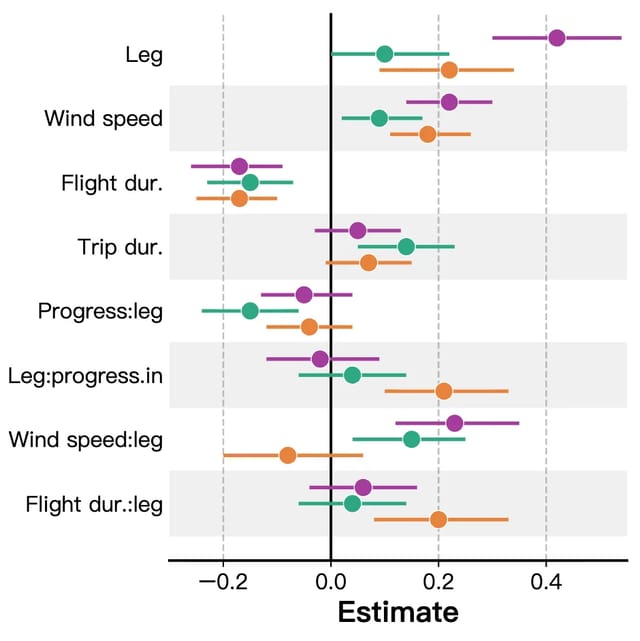
Forest Plot Maker
Forest plots for meta-analysis, systematic reviews and regression results with confidence intervals.
Open tool →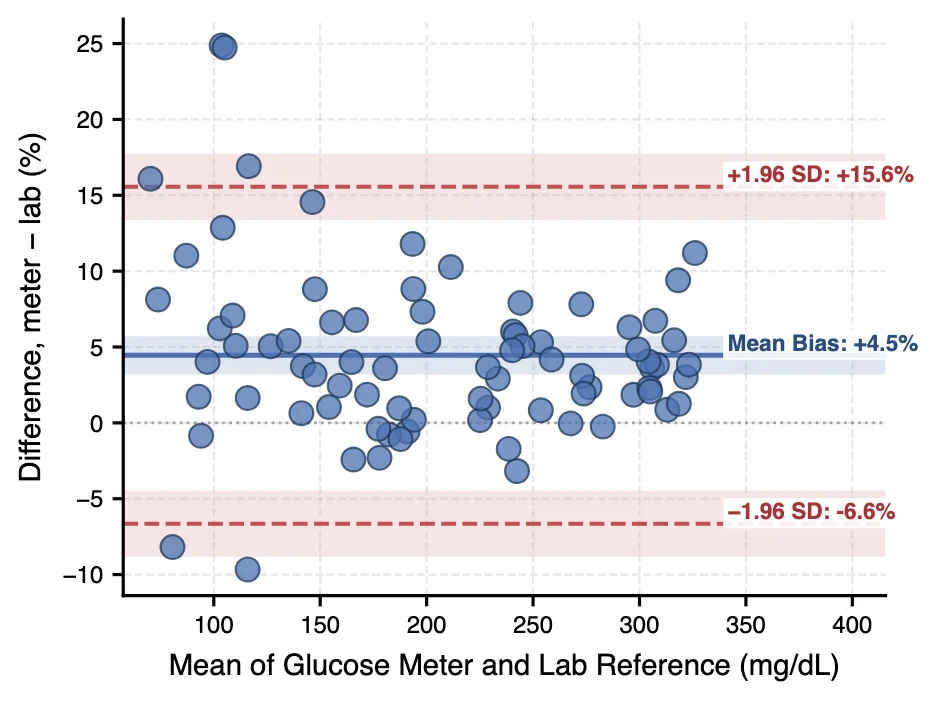
Bland-Altman Plot Generator
Bland-Altman difference plots with bias and 95% limits of agreement for method comparison studies.
Open tool →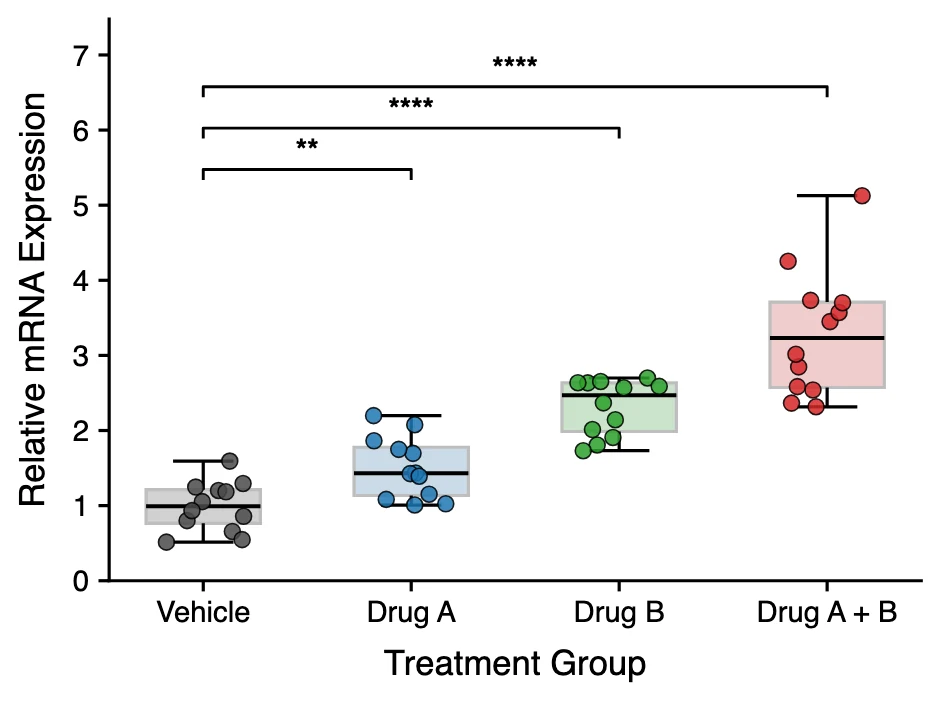
Box Plot Maker
Box and whisker plots with individual data points and significance brackets computed from your data.
Open tool →